

If you’ve ever searched for “best heatmap tool,” you’ve seen Hotjar at the top of every list. It’s the default recommendation, the industry standard, the tool everyone assumes you need. But here’s what those recommendation lists don’t tell you: Microsoft Clarity does 80-90% of what Hotjar does — for free.
So the real question isn’t “should I use Hotjar?” It’s “is Hotjar worth paying $32-171/month when there’s a free alternative?” Let’s do the math and find out exactly where your money goes — and whether it’s money well spent.
The Quick Verdict
For readers who want the bottom line upfront: most small businesses and bloggers should use Clarity instead of Hotjar. You’ll save $384-2,052 per year and get unlimited heatmaps, session recordings, and AI-powered insights. The only reason to choose Hotjar is if you specifically need surveys, feedback widgets, or user interview tools — features Clarity doesn’t offer.
Now let’s break down exactly why.
Pricing: Free vs $32-171/Month
This is where the conversation starts — and for many budget-conscious site owners, where it ends.
Microsoft Clarity is completely free. Not freemium — there is no paid tier. You get every feature, up to 100,000 sessions per day, heatmaps retained for 13 months, and AI-powered Copilot insights. No credit card required, no trial period, no “upgrade to unlock.” It’s the full product at $0/month.
Hotjar (now part of Contentsquare since July 2025) uses a multi-product pricing model. Their core behavior analytics tool (Observe) comes in four tiers (prices shown with annual billing, which saves 20%):
- Basic (Free) — 35 sessions/day, unlimited heatmaps, 3 feedback polls
- Plus ($32/month) — 100 sessions/day, unlimited surveys
- Business ($80/month) — 500 sessions/day, advanced filtering and integrations
- Scale ($171/month) — Unlimited sessions, full feature set
But that’s just Observe. Hotjar also sells Ask (surveys and feedback, from $48/month) and Engage (user interviews, free for 3-5/month, paid plans from ~$350/month) as separate products. If you want the complete Hotjar experience at meaningful scale, you could be looking at $400-900+/month across all three products.
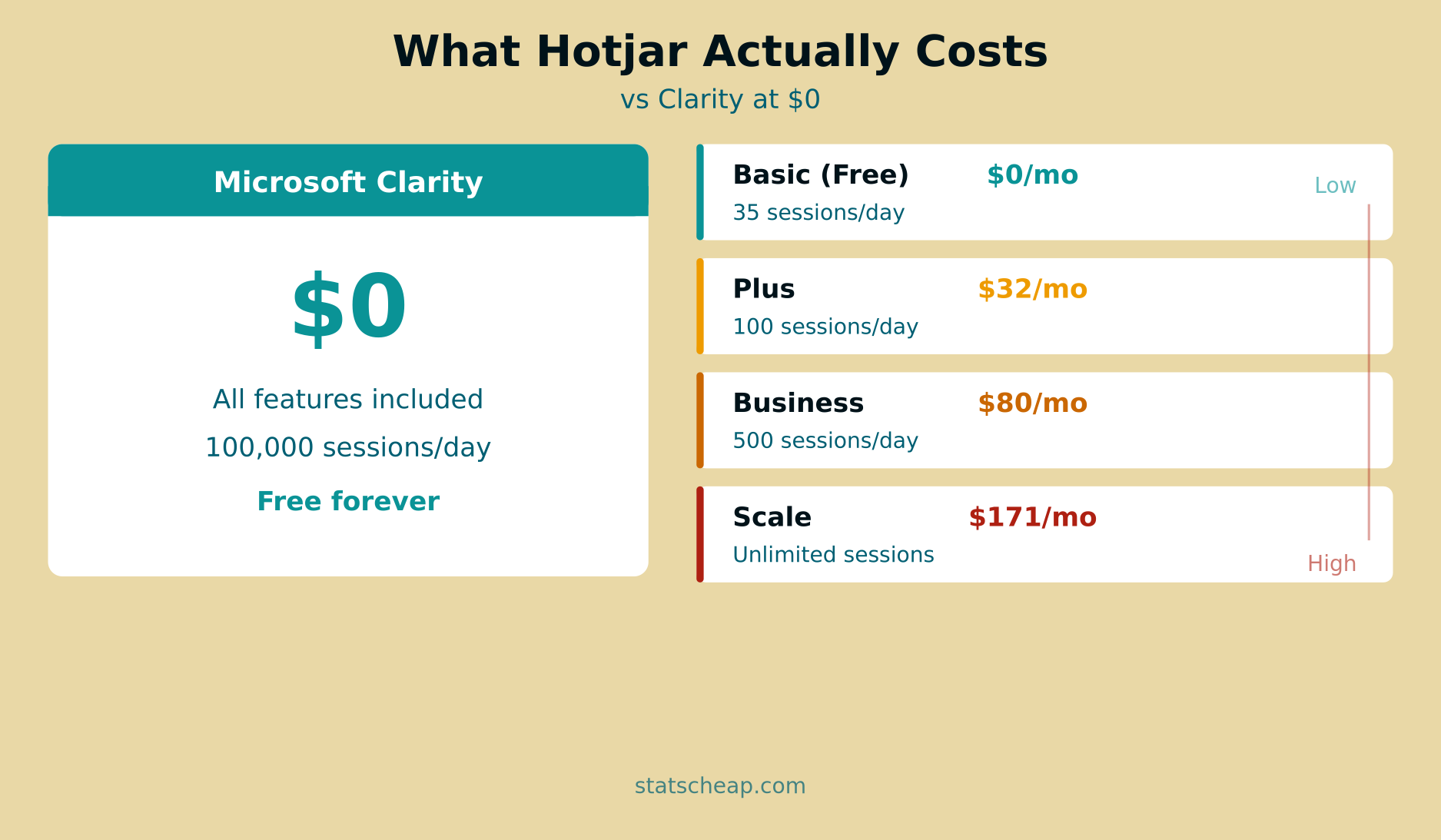
Let’s put this in annual terms. Hotjar’s Plus plan costs $384/year. The Business plan runs $960/year. And the Scale plan? $2,052/year. Meanwhile, Clarity costs $0/year — forever. That’s a significant chunk of budget that could go toward content creation, advertising, or literally anything else.
Feature-by-Feature Comparison
Price only matters if the features are comparable. So let’s go feature by feature and see where each tool wins.
Heatmaps
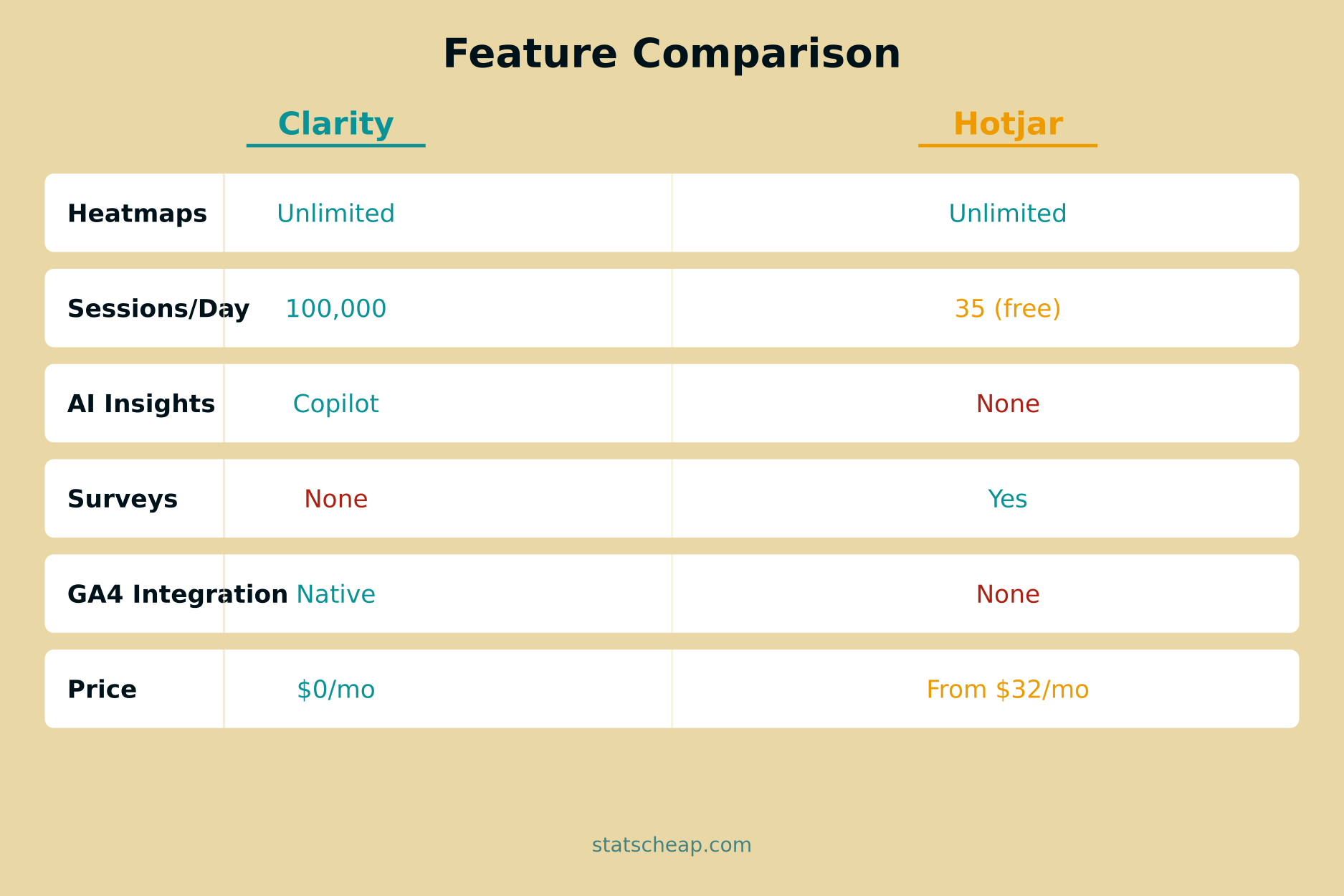
Clarity: Click maps, scroll maps, and area maps — all unlimited, all free. Clarity also offers specialized heatmap types including dead click maps (showing where users click but nothing happens) and rage click maps.
Hotjar: Click maps, scroll maps, and move maps — also unlimited on all plans including free. Hotjar adds move/attention maps that track mouse movement patterns, plus engagement zones. These extras are useful for understanding user attention, but they’re not essential for most sites.
Winner: Tie. Both offer excellent heatmaps on free tiers. Hotjar has slightly more heatmap types; Clarity has frustration-specific maps.
Session Recordings
Clarity: Up to 100,000 sessions per day. Recordings are automatically tagged with rage clicks, dead clicks, excessive scrolling, and quick backs. Recordings are retained for 30 days (13 months if you label or favorite them).
Hotjar: On the free plan, just 35 sessions per day. That’s not a typo — thirty-five. Even the Plus plan only gives you 100/day. You need the Scale plan at $171/month for unlimited sessions. However, Hotjar retains recordings for 365 days — significantly longer than Clarity’s 30-day default.
Winner: Clarity, overwhelmingly. The volume difference is staggering — 100,000 vs 35 daily sessions on free tiers. Hotjar wins on retention (365 vs 30 days), but for most users, having more recordings matters more than keeping them longer.
AI and Insights
Clarity: Copilot is Clarity’s AI assistant, included free. You can ask questions in plain English (“Which pages have the most rage clicks?”), get AI summaries of up to 250 session recordings at once, and receive automated heatmap insights across all device types. It also includes AI Channel Groups that track traffic from ChatGPT, Claude, Gemini, and other AI platforms.
Hotjar: Hotjar has recently introduced Sense, an AI assistant that can summarize session replays, shortcut to key moments in recordings, and condense errors and user journeys into actionable summaries. Hotjar also uses AI for survey creation (generate surveys from a prompt) and automatic analysis of open-ended responses with sentiment tagging. These AI features are available on all plans including free.
Winner: Clarity has the edge. While Hotjar Sense is catching up, Clarity’s Copilot offers more powerful natural language querying (“Which pages have the most rage clicks?”) and can summarize up to 250 sessions at once. Both tools are investing heavily in AI, but Clarity’s implementation is more mature — and free.
Surveys and Feedback
Clarity: No survey or feedback features whatsoever. This is Clarity’s biggest gap.
Hotjar: This is Hotjar’s crown jewel. On-site surveys, feedback widgets, NPS polls, exit-intent surveys, and the ability to target surveys to specific user segments. The free plan includes 3 surveys; paid plans offer unlimited surveys with advanced targeting and logic branching. Hotjar’s Ask product (separate pricing) adds even more survey capabilities.
Winner: Hotjar, no contest. If you need to collect qualitative feedback directly from visitors, Hotjar is the clear choice.
User Interviews
Clarity: Not available.
Hotjar: Hotjar’s Engage product lets you recruit from a pool of 175,000+ testers, schedule video calls with built-in recording and automatic transcription, and manage participant incentives. The free tier includes 3-5 interviews/month, but paid plans start at roughly $350/month — making this a premium feature for serious product teams, not casual users.
Winner: Hotjar — if you need user interviews. But at $350+/month for meaningful capacity, most small businesses won’t find this cost-effective.
Integrations
Clarity: Native GA4 integration (a major advantage), Google Tag Manager, and platform plugins for WordPress, Shopify, Wix, and others. Also has mobile SDKs for iOS, Android, and React Native. However, no Slack, Zapier, or CRM integrations.
Hotjar: Integrates with Slack, Zapier, HubSpot, Segment, Optimizely, and many other tools. No native GA4 integration though — a surprising gap given how many sites use both GA4 and Hotjar.
Winner: Depends on your stack. If GA4 is central (and it should be), Clarity wins. If you need Slack notifications or CRM connections, Hotjar wins.
Hotjar’s Free Plan vs Clarity: A Closer Look
Many people start with Hotjar’s free plan and assume it’s comparable to Clarity’s free offering. It’s not — the gap is enormous.
Hotjar Basic gives you 35 sessions per day. If your site gets 500 visitors daily, you’re recording just 7% of them. Clarity records virtually all of them. For a site with 1,000 daily visitors, Hotjar captures 3.5% while Clarity captures 100%. This isn’t a minor difference — it fundamentally changes how useful the data is.
With 35 daily sessions, you might miss the exact rage-click incident that’s costing you conversions. With 100,000 daily sessions, you’ll catch every pattern, every frustration signal, every UX problem. Volume matters in behavior analytics because user issues are often intermittent — they don’t happen in every session.
Hotjar’s free plan does include 3 feedback surveys, which Clarity can’t match. But if your primary need is heatmaps and session recordings — which is why most people try Hotjar in the first place — Clarity’s free tier is leagues ahead.
When Hotjar Is Actually Worth the Money
I’m not here to tell you Hotjar is bad — it’s an excellent product. There are specific scenarios where paying for Hotjar makes genuine business sense.
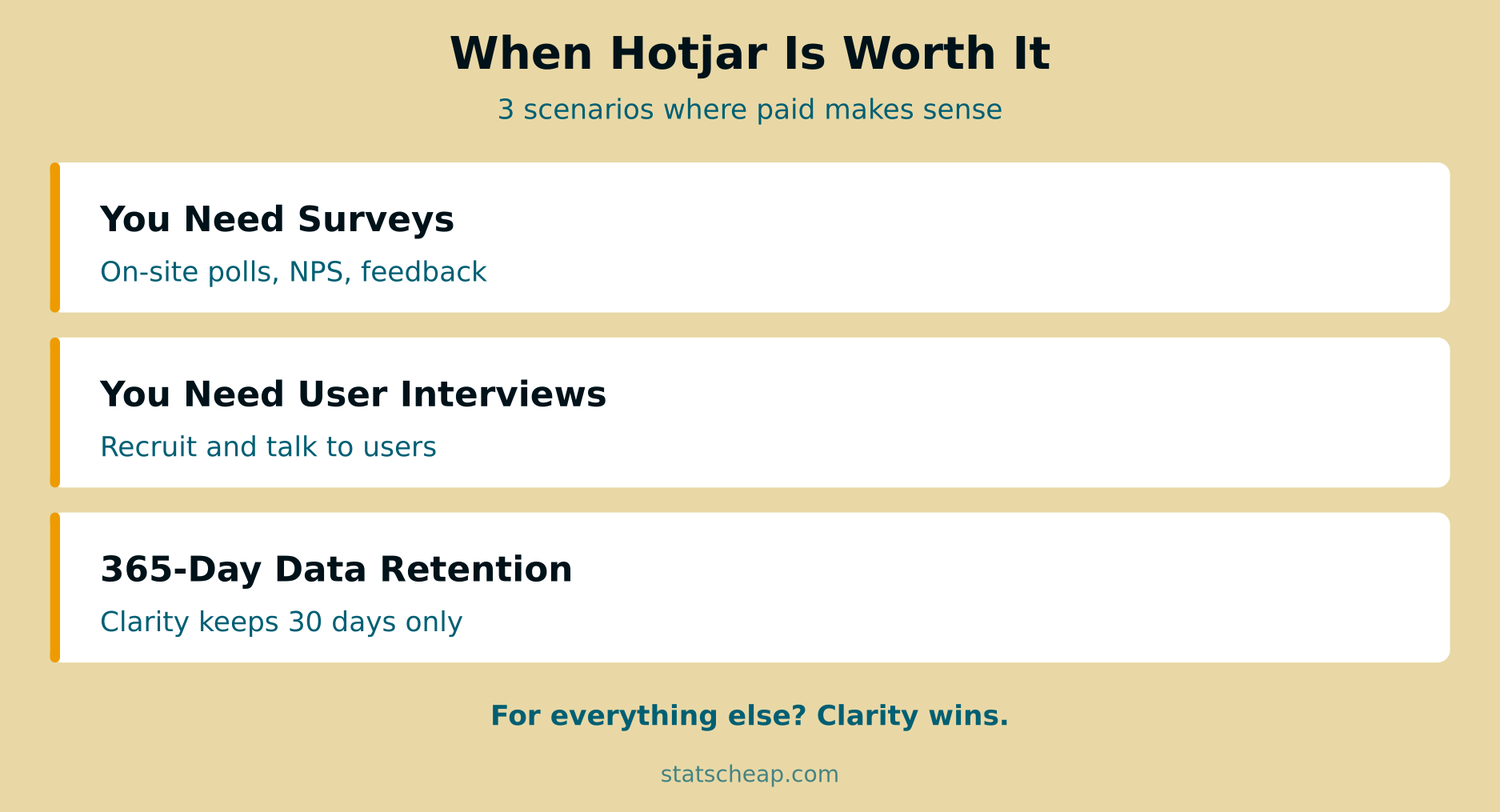
1. You Need On-Site Surveys and Feedback
If understanding why users behave a certain way is as important as seeing how they behave, Hotjar’s survey tools are genuinely valuable. Exit-intent surveys (“Why are you leaving?”), post-purchase NPS polls, and targeted feedback widgets give you qualitative data that session recordings alone can’t provide. No amount of heatmap analysis can replace directly asking your users what they think.
2. You Need Long-Term Recording Retention
Clarity keeps recordings for 30 days by default (13 months if favorited). Hotjar retains them for 365 days on all plans. If you’re doing seasonal analysis, long-term UX audits, or need to reference old recordings for compliance reasons, Hotjar’s longer retention is a real advantage. That said, for most sites, 30 days of recordings is plenty — you should be acting on insights quickly, not archiving them.
3. You Need User Interview Recruitment
Hotjar Engage lets you recruit website visitors for user interviews — screening them based on behavior, then scheduling and conducting video calls with automatic transcription. For product teams running regular user research, this is genuinely useful. But paid Engage plans start around $350/month on top of Observe pricing — it’s a premium feature for premium needs.
When Clarity Is the Better Choice
For the majority of StatsCheap readers, Clarity is the right tool. Here’s specifically when:
You want heatmaps and recordings without paying. This is 90% of use cases. If you’re a blogger, small business owner, or freelancer who wants to understand user behavior on your site, Clarity gives you everything you need for $0.
You use Google Analytics 4. Clarity’s native GA4 integration means you can see behavioral data alongside your traffic data — and even launch session recordings from GA4 reports. Hotjar has no equivalent GA4 integration. If GA4 is the center of your analytics stack (and for most sites, it should be), Clarity is the natural complement.
You want AI-powered insights. Clarity’s Copilot lets you ask questions in plain English and get instant answers from your behavior data. It can summarize 250 recordings at once, highlight patterns, and surface insights you’d miss by manually reviewing sessions. Hotjar’s Sense AI is catching up, but Copilot remains more powerful — and it’s free.
You have a high-traffic site. Counterintuitively, the more traffic you have, the worse Hotjar’s free plan becomes (35 sessions captures a smaller percentage) and the better Clarity gets (100K sessions captures virtually everything). If you’re processing thousands of daily visitors, Clarity is the only free option that keeps up.
You’re building a complete free analytics stack. GA4 for traffic, Clarity for behavior, Search Console for SEO — this combination gives you enterprise-grade analytics for $0/month. Adding Hotjar would break the “free” part of that equation.
The Smart Approach: Use Both
Here’s a strategy many savvy site owners use: run Clarity as your primary behavior tool and use Hotjar’s free plan just for its 3 surveys. You get unlimited recordings and heatmaps from Clarity, plus basic survey capability from Hotjar’s free tier — all for $0.
Both tools are lightweight and can run simultaneously without significant performance impact. This isn’t an either/or choice — you can take the best of both worlds. Use Clarity for daily behavior analytics and Hotjar for occasional user feedback. If you later find that 3 surveys isn’t enough, you can upgrade just Hotjar’s Ask product without needing their Observe product at all.
Annual Cost Comparison
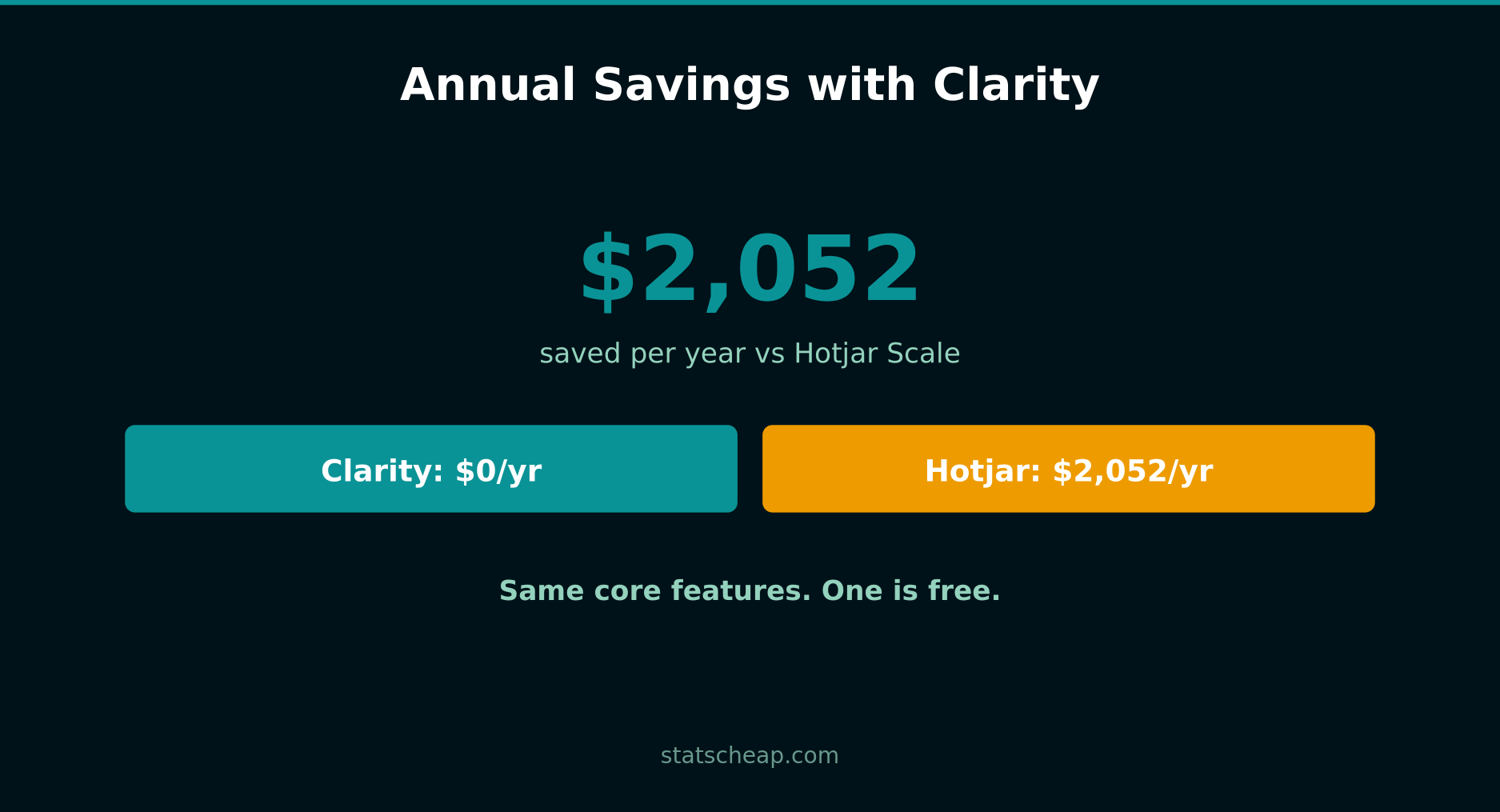
Here’s the annual cost breakdown for comparable recording capabilities:
- Clarity (100K sessions/day) — $0/year
- Hotjar Plus (100 sessions/day) — $384/year
- Hotjar Business (500 sessions/day) — $960/year
- Hotjar Scale (unlimited sessions) — $2,052/year
To match Clarity’s session volume on Hotjar, you’d need the Scale plan at $2,052/year. That’s the real price of choosing Hotjar for heatmaps and recordings when a free alternative with comparable (and in some ways superior) features exists.
Even Hotjar Plus at $384/year gives you only 100 sessions/day — a tiny fraction of what Clarity offers for free. The math simply doesn’t work in Hotjar’s favor for pure behavior analytics.
Frequently Asked Questions
Can Clarity fully replace Hotjar?
For heatmaps, session recordings, and frustration detection — yes, completely. Clarity matches or exceeds Hotjar in these areas. For surveys, feedback collection, and user interviews — no. If those features are essential to your workflow, you’ll still need Hotjar (or a dedicated survey tool like Typeform or Google Forms).
Is there a performance difference between the two?
Both tools load asynchronously and have minimal impact on page speed. Independent tests consistently show negligible differences in Core Web Vitals between the two. You can run both simultaneously without noticeable performance degradation.
Which is better for e-commerce?
For e-commerce behavior analysis (checkout friction, product page engagement, cart abandonment patterns), Clarity is excellent and free. It even has dedicated e-commerce dashboard cards and Shopify integration. Hotjar adds surveys, which can help with post-purchase feedback and understanding why customers abandon carts. The ideal e-commerce setup: Clarity for behavior analytics, Hotjar’s free plan for occasional surveys.
What about GDPR compliance?
Both tools require cookie consent in the EU. Clarity enforces consent signals for EEA/UK/Switzerland sessions since October 2025 and contracts EU customers through Microsoft Ireland. Hotjar is based in Malta (EU) and stores EU data within the EU. Both are GDPR-compliant when used with a proper consent management platform, but Hotjar’s EU data residency gives it a slight edge for privacy-conscious European businesses. For a deeper dive into analytics privacy, see our article on the true cost of Google Analytics.
The Bottom Line
Is Hotjar worth it? That depends entirely on what you need. For surveys, feedback, and user interviews — yes, Hotjar is a strong product that justifies its price. For heatmaps, session recordings, and behavior analytics — no, because Microsoft Clarity gives you more for free than Hotjar’s paid plans offer.
For most small businesses, bloggers, and budget-conscious marketers, the smart move is clear: install Clarity for your core behavior analytics, use Hotjar’s free plan for its 3 surveys if you need them, and save yourself $384-2,052 per year. That’s money better spent on content, ads, or tools that actually fill gaps in your stack.
Budget-friendly doesn’t mean second-rate. In this case, free is genuinely better for the features most people actually use. Pair Clarity with GA4 and Search Console, and you have a complete analytics stack for $0/month that would have cost thousands just a few years ago.