

If you’ve ever stared at an analytics tool’s pricing page and thought “there has to be a cheaper way” — you’re in the right place. The truth is, some of the best web analytics tools in 2026 are completely free. And I don’t mean free trials or stripped-down demos. I mean genuinely powerful platforms that cost you exactly $0 per month.
I’ve spent the past year testing every free analytics tool I could find — installing them on real sites, comparing dashboards side by side, and figuring out which ones actually deliver. This guide covers the 8 best free web analytics tools available right now, with honest breakdowns of what each one does well, where it falls short, and who it’s best for.
Let’s do the math: a typical paid analytics stack (Mixpanel + Hotjar + a SEO tool) can easily run $180+/month. That’s over $2,100 a year. With the right free tools, you can get 90% of that functionality for nothing. Here’s how.
Quick Comparison: All 8 Free Analytics Tools at a Glance
Before we dive into each tool, here’s a bird’s-eye view of what you’re working with. Every tool on this list has a genuinely free tier — not a 14-day trial, not a “contact sales” bait-and-switch.
| Tool | Type | Self-Hosted? | Cookie-Free? | Best For |
|---|---|---|---|---|
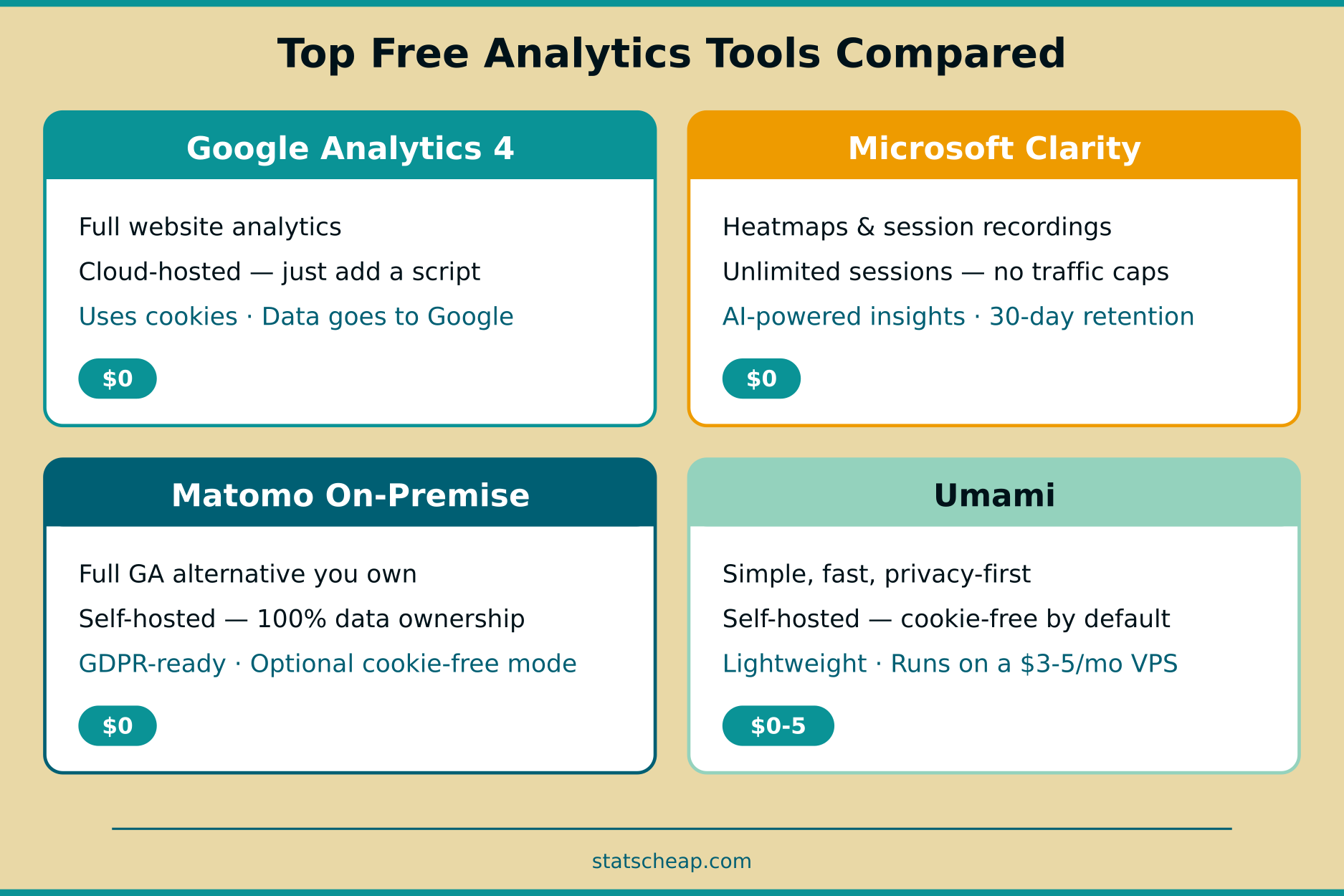
| Google Analytics 4 | Full analytics | No | No | Overall website analytics |
| Microsoft Clarity | Behavior analytics | No | No | Heatmaps & session recordings |
| Matomo On-Premise | Full analytics | Yes | Optional | Full GA alternative you own |
| Umami | Traffic analytics | Yes | Yes | Simple, fast, privacy-first |
| Plausible CE | Traffic analytics | Yes | Yes | Lightweight privacy analytics |
| PostHog | Product analytics | Yes | No | Product teams & startups |
| Cloudflare Analytics | Traffic analytics | No | Yes | Quick traffic overview |
| Google Search Console | SEO analytics | No | N/A | Search performance data |
Now, let’s break each one down — what it does, what it costs (spoiler: $0), and when you should use it.
1. Google Analytics 4 — The Free Standard Everyone Knows
Price: $0 | Type: Full website analytics | Self-hosted: No
Let’s get the obvious one out of the way. Google Analytics 4 is still the most widely used web analytics tool on the planet, and it’s free. Over 47% of all websites use it. For most small businesses, it covers everything you need: traffic sources, user behavior, conversions, audience demographics, and real-time data.
However, “free” comes with trade-offs. GA4 uses cookies, requires a consent banner in the EU, and sends your data to Google’s servers. The interface can feel overwhelming for beginners, and the default data retention is just 14 months. Also, Google uses aggregated data to improve its advertising products — so your visitors’ behavior feeds Google’s ad machine.
Best for: Anyone who wants comprehensive analytics without paying. If you’re running a small business site, blog, or e-commerce store and privacy regulations aren’t your primary concern, GA4 is hard to beat at $0.
Limitations: 50 custom dimensions/metrics, 14-month data retention, data sampling above 500K events in reports, no dedicated support, complex interface.
2. Microsoft Clarity — Free Heatmaps With No Catch
Price: $0 forever | Type: Behavior analytics | Self-hosted: No
Microsoft Clarity is the tool I recommend most often on this site, and for good reason: it gives you unlimited heatmaps, unlimited session recordings, and AI-powered insights — all for free, with no traffic limits whatsoever. Seriously. No limits.
Where competitors like Hotjar charge $39/month for their basic paid plan (limited to 100 daily sessions), Clarity handles up to 100,000 sessions per day at no cost. You get click heatmaps, scroll heatmaps, dead click detection, rage click detection, and full session replays. The built-in Copilot feature uses AI to summarize session patterns in natural language.
The trade-off? Microsoft uses anonymized Clarity data to improve its own products and advertising services. Additionally, data retention is limited to 30 days, and you won’t get conversion funnels or feedback surveys like Hotjar offers.
Best for: Understanding how visitors actually interact with your pages. Pair it with GA4 for a complete free analytics setup — GA4 tells you what visitors do, Clarity shows you how they do it.
3. Matomo On-Premise — The Full GA Alternative You Own
Price: $0 (self-hosted) | Type: Full analytics | Self-hosted: Yes
Matomo is the closest thing to a free Google Analytics clone — and in many ways, it’s better. The on-premise version is completely free, open-source, and you host it on your own server. That means you own 100% of your data. No data sampling. No sharing with third parties. Full GDPR compliance out of the box.
Matomo includes features that most paid tools charge for: e-commerce tracking, goal tracking, campaign tracking, custom segments, email reports, geo-location, and a powerful API. You can even configure it to run without cookies, making consent banners optional.
The downside is complexity. You need a server with PHP and MySQL, and setup takes more effort than dropping a JavaScript snippet. Additionally, some advanced features like heatmaps and funnels require paid premium plugins. However, for the core analytics experience, the free version is remarkably complete.
Best for: Businesses that want a full-featured analytics platform with complete data ownership. Especially strong for EU-based companies that need GDPR compliance without sacrificing functionality.
4. Umami — Beautifully Simple and Privacy-First
Price: $0 (self-hosted) | Type: Traffic analytics | Self-hosted: Yes
If Matomo is the Swiss Army knife, Umami is the elegant pocket knife. It’s open-source, self-hosted, cookie-free, and incredibly lightweight. The dashboard loads instantly and shows you exactly what you need: page views, visitors, referrers, devices, countries, and custom events. That’s it. No clutter.
Umami is so lightweight that it runs comfortably on a $3-5/month VPS — easily handling 100K+ monthly visits. All stats update in real-time with just a 1-2 second delay. The Journey report lets you visualize the actual sequence of steps visitors take through your site, and the Retention report tracks how often visitors come back.
Umami also offers a cloud version with a free tier (limited to 6 months of data retention) and a pro plan at $20/month. But the self-hosted version is completely free with no limitations.
Best for: Developers, bloggers, and small businesses who want simple, beautiful analytics without cookies or consent banners. If you can run Docker, Umami is a joy to use.
5. Plausible Community Edition — Lightweight Privacy Analytics
Price: $0 (self-hosted) | Type: Traffic analytics | Self-hosted: Yes
Plausible Community Edition (CE) is the self-hosted, free version of Plausible Analytics — one of the most popular privacy-first analytics platforms. It’s AGPL-licensed and genuinely free. No cookies, no personal data collection, and full GDPR/CCPA/PECR compliance without any configuration needed.
The Plausible tracking script is under 1 KB in size — that’s roughly 45 times smaller than the Google Analytics script. For site speed, that matters. Everything lives on a single dashboard: page views, referrers, device breakdowns, and conversion goals. No multi-menu navigation needed.
Plausible CE gets new releases twice a year. The main limitation compared to Umami is that community support is your only help channel — there’s no premium support for the self-hosted version. Also, some features from the paid cloud version may take longer to appear in the CE release.
Best for: Privacy-conscious site owners who want the absolute lightest tracking script with zero cookie headaches. Ideal for European businesses or anyone who doesn’t want to deal with consent banners at all.
6. PostHog — Product Analytics With a Generous Free Tier
Price: $0 for 1M events/month | Type: Product analytics | Self-hosted: Yes
PostHog is different from the other tools on this list. It’s a product analytics platform — designed to help you understand how users interact with your product, not just your website. Think of it as a free alternative to Mixpanel.
The free tier is remarkably generous: 1 million analytics events per month, 5,000 session recordings, 1 million feature flag requests, and 250 survey responses. Additionally, you get unlimited team members at no cost and no credit card is required to start.
PostHog is also fully open-source and can be self-hosted for complete data control. The platform includes feature flags, A/B testing, session recordings, and a data warehouse — features that would cost hundreds per month with separate paid tools.
Best for: SaaS companies, startups, and product teams who need to track user journeys through an application. Overkill for a simple blog, but incredibly valuable for software products.
7. Cloudflare Web Analytics — Zero-Effort Traffic Overview
Price: $0 | Type: Traffic analytics | Self-hosted: No
Cloudflare Web Analytics is the easiest tool on this list to set up — especially if you’re already using Cloudflare for DNS or CDN. As of late 2025, it’s enabled by default on free Cloudflare domains. No cookies, no personal data, and it doesn’t require changing your DNS if you just want to add a JavaScript snippet.
The dashboard is simple: page views, visitors, top pages, top referrers, countries, and browsers. That’s about it. There are no conversion goals, no event tracking, and no custom segments. It’s analytics at its most basic — but for many small sites, basic is all you need.
Best for: Site owners who want a quick traffic overview with zero configuration effort and full privacy. Great as a secondary analytics tool alongside GA4.
8. Google Search Console — Free SEO Data You Already Have
Price: $0 | Type: SEO analytics | Self-hosted: No
Google Search Console isn’t a traditional web analytics tool, but it’s too valuable to leave off this list. It shows you exactly which keywords bring people to your site from Google search, your average position for each query, click-through rates, and indexing status. No other free tool gives you this data — because it comes directly from Google.
For budget-conscious site owners, Search Console essentially replaces the keyword tracking feature of paid SEO tools like Ahrefs ($99/month) or SEMrush ($129/month). You won’t get competitor analysis or backlink data, but for tracking your own search performance, it’s unbeatable at $0.
Best for: Every website owner. Seriously. If you have a website and you’re not using Search Console, you’re leaving free money on the table. It should be the first tool you set up alongside any analytics platform.
Which Free Analytics Tool Should You Use?
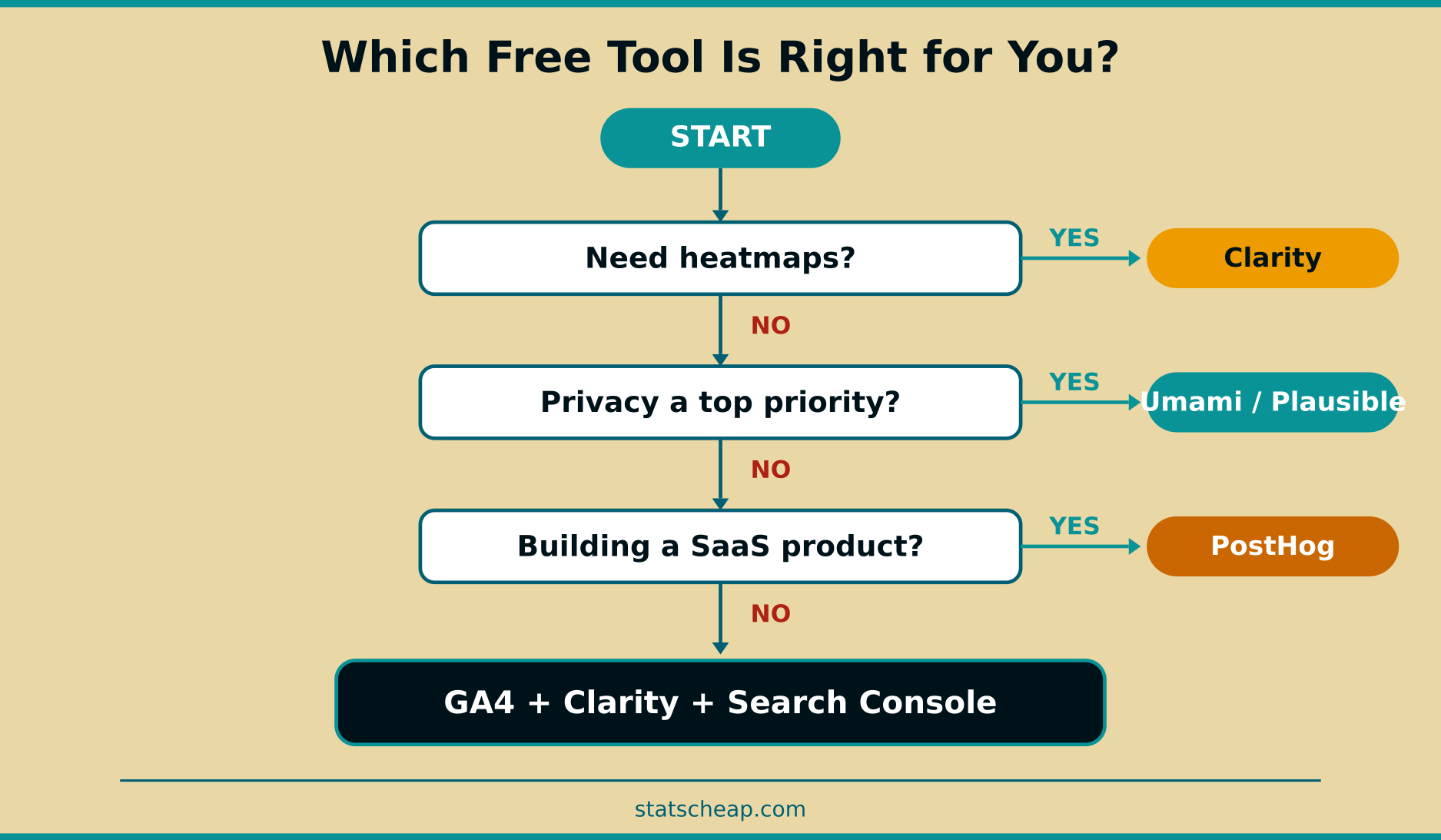
The answer depends on your priorities. Here’s a quick decision framework:
- Want the easiest setup? → GA4 + Microsoft Clarity + Google Search Console. All cloud-hosted, just add tracking scripts.
- Privacy is your top priority? → Plausible CE or Umami (self-hosted). No cookies, no consent banners, full data ownership.
- Need a full GA replacement you own? → Matomo On-Premise. The most feature-rich self-hosted option.
- Building a SaaS product? → PostHog. Product analytics, feature flags, and A/B testing in one free platform.
- Just want quick traffic numbers? → Cloudflare Web Analytics. Minimal setup, basic but reliable data.
The $0 Analytics Stack: My Recommendation
If I were starting a new website today with zero budget, here’s exactly what I’d install:
- Google Analytics 4 — for comprehensive traffic and conversion data
- Microsoft Clarity — for heatmaps and session recordings (replaces $39/mo Hotjar)
- Google Search Console — for SEO keyword data (replaces $99/mo Ahrefs for basic needs)
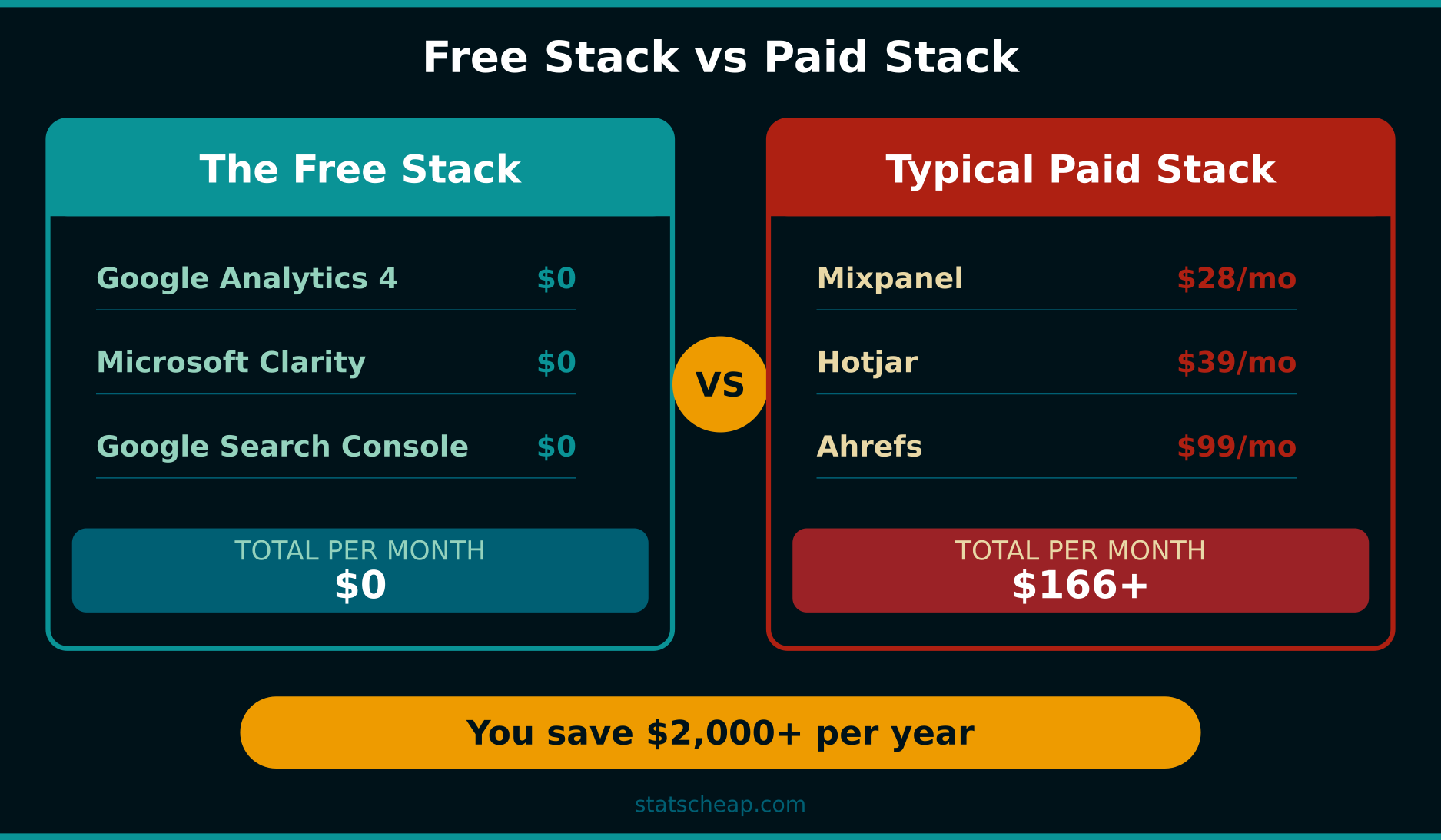
Total monthly cost: $0. Total setup time: about 15 minutes. This stack gives you traffic analytics, user behavior data, and SEO performance — all for free. For 90% of small businesses, this is everything you need.
If you’re more technically inclined and privacy is important, swap GA4 for Umami or Plausible CE (self-hosted). Add a $3-5/month VPS and you’ve got a fully private analytics setup that doesn’t share a single byte of data with anyone.
Frequently Asked Questions
Are free analytics tools accurate enough for business decisions?
Yes. GA4, Matomo, and Umami all provide reliable, actionable data. In fact, self-hosted tools like Matomo often have better accuracy than GA4 because they don’t suffer from ad blockers as much (your tracking runs on your own domain). For small to medium traffic sites, free tools are more than accurate enough.
Can I use multiple free analytics tools at the same time?
Absolutely. In fact, I recommend it. GA4 + Microsoft Clarity is the most popular free combo because they serve different purposes — GA4 for traffic data, Clarity for behavior insights. Adding Google Search Console gives you the SEO layer. The scripts are lightweight and won’t noticeably slow down your site.
Do I need technical skills to self-host Matomo or Umami?
Some, yes. Matomo needs a server with PHP and MySQL. Umami and Plausible CE run via Docker, which simplifies deployment significantly. If you’re comfortable following a tutorial, you can get any of them running in an afternoon. If command-line tools make you nervous, stick with cloud-hosted options like GA4 and Clarity.
When is it worth paying for analytics?
For most small businesses with under 50,000 monthly visits, free tools cover everything. Consider paying only when you need: advanced funnel analysis, conversion attribution across channels, managed hosting with SLA guarantees, or dedicated customer support. Until then, save your money for what actually matters — your product and your marketing.
Key Takeaways
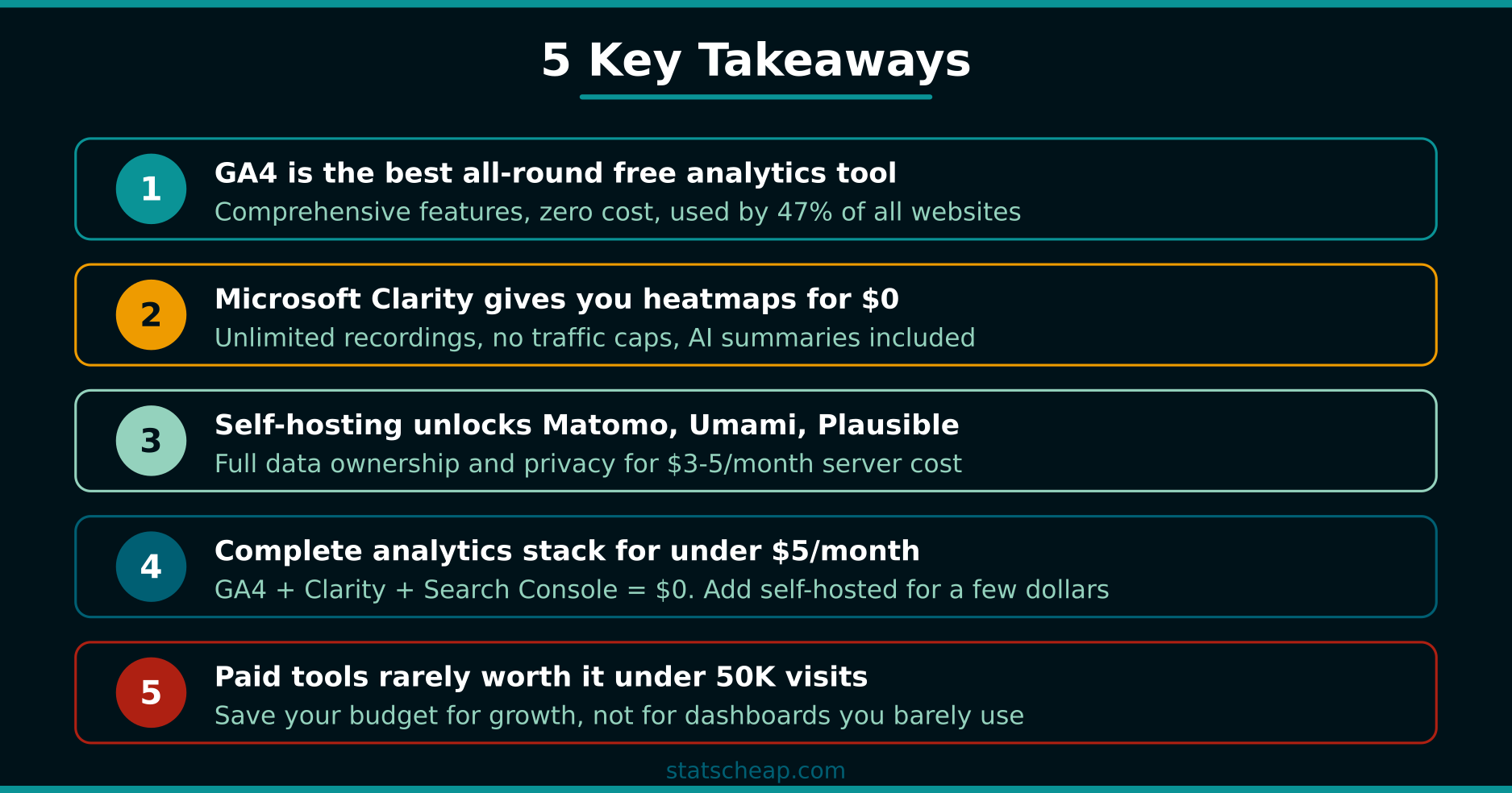
- GA4 remains the best all-round free analytics tool — comprehensive features, zero cost, but it uses cookies and shares data with Google.
- Microsoft Clarity gives you professional-grade heatmaps for $0 — unlimited recordings, no traffic caps, and AI summaries included.
- Self-hosting unlocks Matomo, Umami, and Plausible for free — full data ownership and privacy, with only minor server costs ($3-5/month).
- You can build a complete analytics stack for under $5/month — GA4 + Clarity + Search Console costs $0. Adding a self-hosted tool adds a few dollars.
- Paid tools are rarely worth it for small sites under 50K monthly visits — save your budget for growth, not for dashboards you’ll barely use.
Budget-friendly doesn’t mean second-rate. The free analytics tools available in 2026 are genuinely powerful — in many cases, they’re all you’ll ever need. Stop paying for features you don’t use, and start getting the data that actually moves your business forward.