

Here’s a question that keeps surprising me: how many website owners are running Google Analytics but have never heard of Microsoft Clarity? If that’s you, you’re missing out on one of the most powerful analytics tools available — and it won’t cost you a single penny.
Microsoft Clarity is a free behavior analytics tool that shows you exactly how people interact with your website. Heatmaps, session recordings, rage click detection, AI-powered insights — all completely free, with no session caps and no feature gating. Let’s do the math: that’s $0/month for features that competitors charge $39-$300+/month for.
What Is Microsoft Clarity?
Launched by Microsoft in 2020, Clarity is a free behavior analytics platform that answers a simple but critical question: how are people actually using your website? While Google Analytics tells you what happened — page views, bounce rates, traffic sources — Clarity shows you the human behavior behind those numbers.
Think of it this way: GA4 tells you that 40% of visitors left your checkout page. Clarity shows you why — maybe they rage-clicked a button that wasn’t working, or they scrolled past your call-to-action without noticing it, or they got confused by your form layout. That kind of insight is what turns data into action.
And here’s the kicker: Clarity is 100% free. Not freemium, not “free for 30 days,” not “free with limits.” Genuinely, completely, no-strings-attached free. You get up to 100,000 sessions per day — functionally unlimited for any site that isn’t Amazon — with heatmaps retained for 13 months. Microsoft doesn’t even run ads in the dashboard.
Key Features That Make Clarity Stand Out
Let’s walk through what you actually get for $0/month. This feature set would cost you serious money anywhere else.
Heatmaps: See Where People Click and Scroll
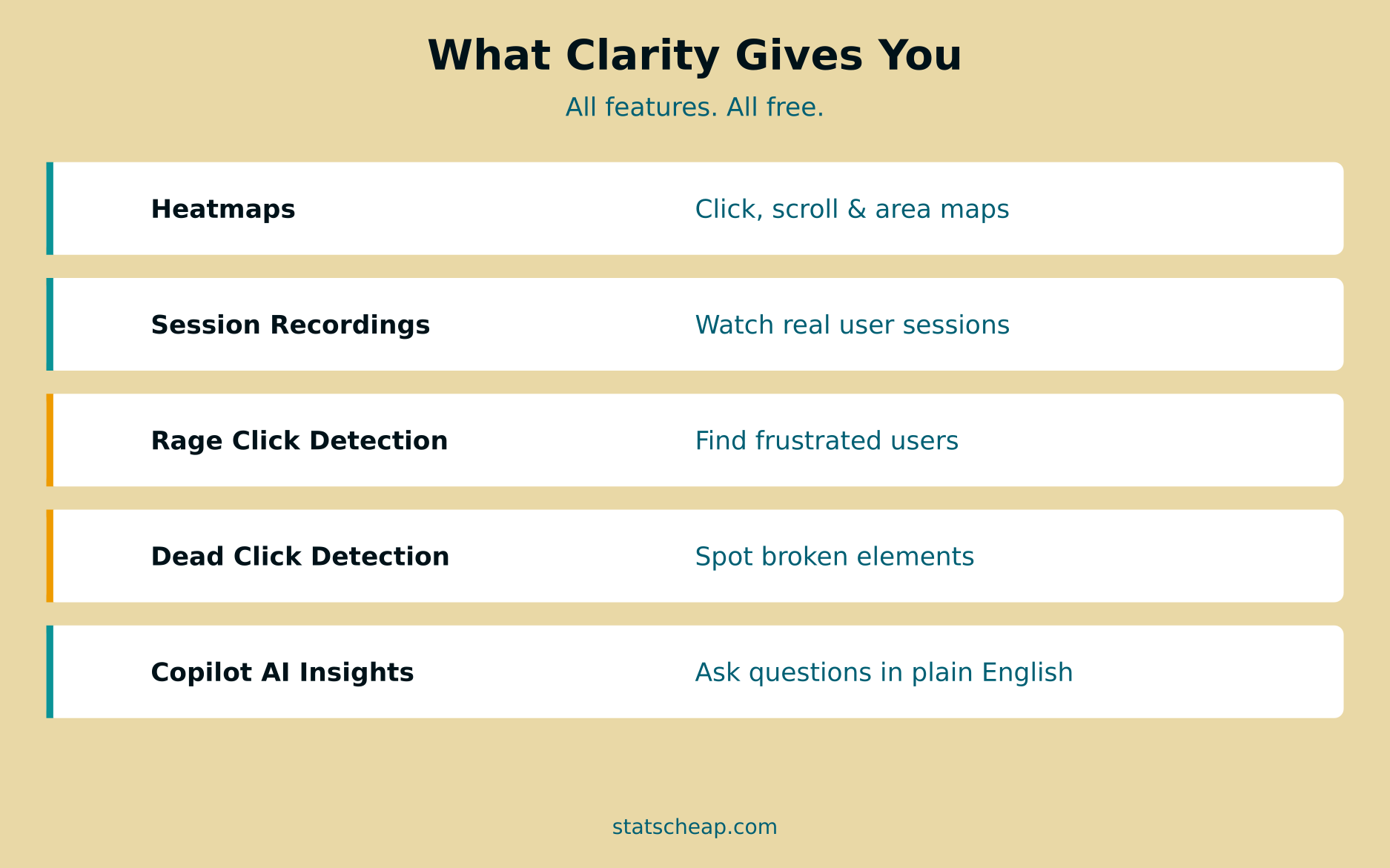
Clarity generates three types of heatmaps for every page on your site. Click heatmaps show exactly where visitors tap or click — revealing whether people are clicking your CTAs or ignoring them. Scroll heatmaps show how far down the page visitors actually read, which is invaluable for content sites and landing pages. Area heatmaps show aggregate click density across page sections, helping you understand which areas get the most attention.
Unlike Hotjar’s free plan which limits you to basic heatmaps, Clarity’s heatmaps are unlimited. You can generate them for any page, any date range, and any audience segment — no daily caps, no “upgrade to see more” prompts.
Session Recordings: Watch Real Users Navigate Your Site
This is where Clarity truly shines. You can watch actual recordings of user sessions — every scroll, click, hover, and pause. Session recordings are the closest thing to looking over a visitor’s shoulder, and they’re incredibly useful for identifying UX problems that analytics numbers alone can’t reveal.
Clarity records up to 100,000 sessions per day per project — effectively unlimited for any normal website. Hotjar’s free tier caps you at just 35 daily sessions. FullStory charges hundreds per month for comparable recording capabilities. With Clarity, you get all of it for free.
Recordings are automatically tagged with useful metadata: device type, browser, operating system, country, and — most importantly — behavior flags like rage clicks, dead clicks, and excessive scrolling. This makes it easy to filter and find the sessions that matter most.
Smart Behavior Detection
Clarity automatically detects frustration signals that you’d never spot in traditional analytics:
- Rage clicks — When a user rapidly clicks the same element multiple times, usually because something isn’t responding. This is a goldmine for finding broken buttons, unclickable elements, or slow-loading features.
- Dead clicks — Clicks on elements that aren’t actually interactive. If visitors keep clicking your product images expecting a zoom feature that doesn’t exist, dead click data reveals the mismatch between user expectations and your UI.
- Excessive scrolling — When users scroll up and down repeatedly, suggesting they can’t find what they’re looking for. This signals navigation or content structure problems.
- Quick backs — Users who navigate to a page and immediately return. High quick-back rates suggest misleading links or content that doesn’t match expectations.
These behavioral signals are automatically flagged in your dashboard, so you don’t have to watch hundreds of session recordings to find problems. Clarity surfaces the insights that matter.
Copilot: AI-Powered Analysis
Microsoft added Copilot to Clarity — an AI assistant that lets you ask questions about your data in plain English. Instead of digging through dashboards, you can ask things like “What pages have the most rage clicks?” or “Show me sessions where users abandoned the checkout” and get instant answers.
Copilot can generate summaries across up to 250 session recordings at once, saving you hours of manual review. It highlights key moments — where users got frustrated, paused, or dropped off. Clarity also added code-free funnels in 2025, letting you track multi-step user journeys without writing a single line of code. And the new Bot Activity Dashboard (January 2026) gives you visibility into AI crawler traffic hitting your site. All of this is included in the free tier.
Clarity vs Hotjar: Why Pay $39+/Month?
The most common alternative to Clarity is Hotjar, and it’s worth a direct comparison since Hotjar is what most people think of when they hear “heatmap tool.”
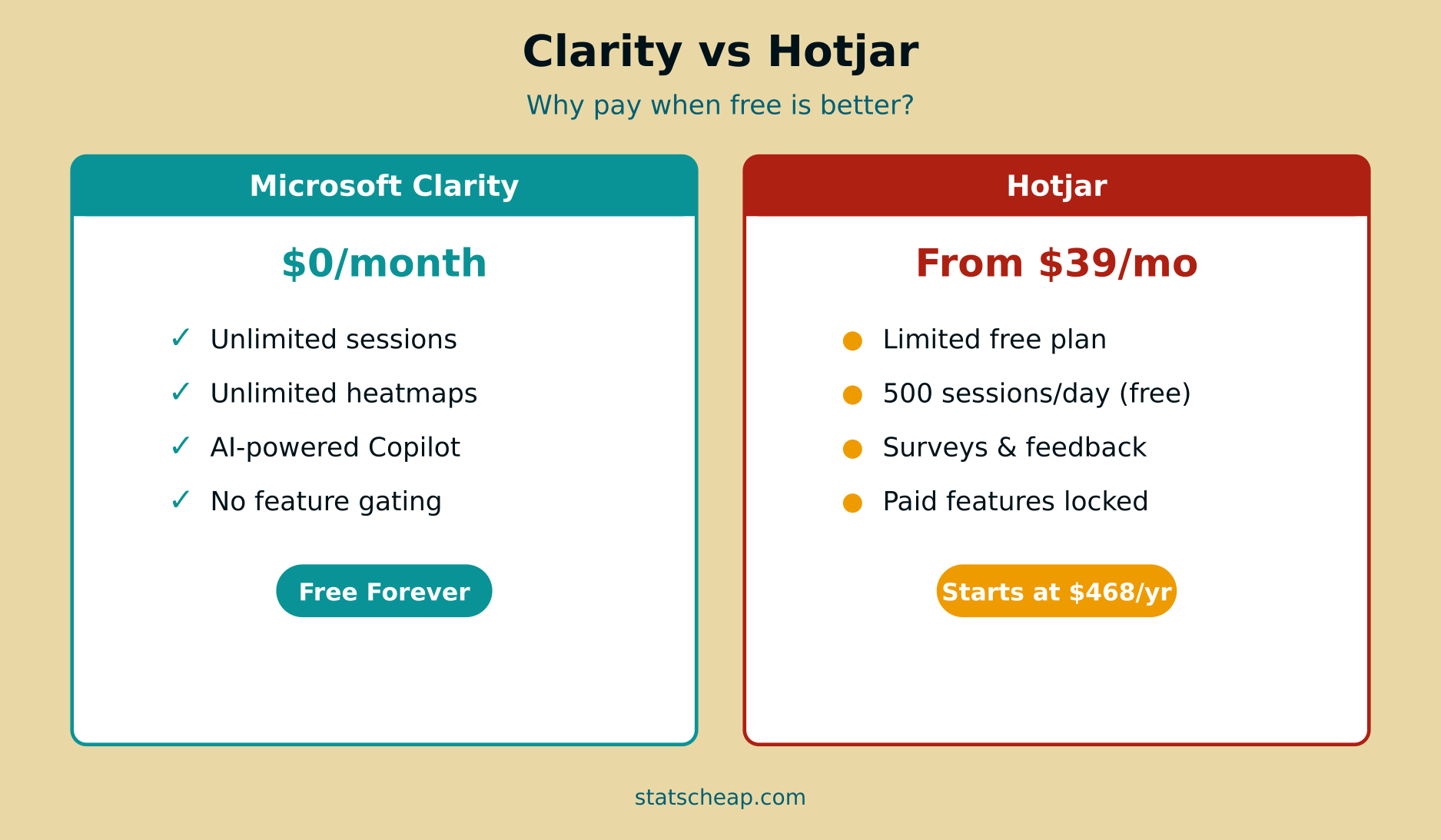
Hotjar’s free plan (Basic) gives you up to 35 daily sessions, unlimited heatmaps, and 3 feedback polls. To unlock more sessions and unlimited surveys, you need the Plus plan at $32/month. The Business plan starts at $80/month (500 sessions/day) and the Scale plan goes up to $171/month for unlimited sessions.
Here’s where Hotjar does win: it includes surveys and feedback widgets — tools for collecting qualitative feedback directly from visitors. If you need on-site polls, NPS surveys, or feedback buttons, Hotjar has that and Clarity doesn’t. Hotjar also offers Engage, a user interview recruitment tool.
However, for pure behavior analytics — heatmaps, session recordings, and frustration detection — Clarity matches or beats Hotjar at every price point. Clarity’s 100K daily sessions would require Hotjar’s Scale plan at $171/month ($2,052/year). Unless you specifically need surveys, there’s very little reason to pay for Hotjar when Clarity exists.
How Clarity Compares to Other Paid Tools
Hotjar isn’t the only paid alternative. Here’s how Clarity stacks up against the broader market:
FullStory is an enterprise-grade digital experience platform. It offers session replay, heatmaps, and advanced product analytics with powerful search capabilities. Pricing is custom but typically starts around $300-$1,000+/month for mid-sized sites. FullStory is more powerful than Clarity for large-scale product teams, but it’s overkill (and overpriced) for most small businesses.
Lucky Orange starts at $32/month and includes heatmaps, session recordings, live chat, and conversion funnels. It’s a solid mid-range option, but again, Clarity covers the core heatmap and recording features for free.
Mouseflow offers plans starting at $31/month with heatmaps, session replay, funnels, and form analytics. Its form analytics feature — showing exactly where users abandon your forms — is genuinely useful and something Clarity lacks. If form optimization is critical to your business, Mouseflow might be worth the investment.
The bottom line: unless you need specialized features like surveys (Hotjar), form analytics (Mouseflow), or enterprise-grade product analytics (FullStory), Clarity gives you 80-90% of what these paid tools offer — for free.
Setting Up Clarity in 5 Minutes
One of Clarity’s best qualities is how easy it is to set up. You don’t need a developer, and you don’t need technical skills. Here’s the process:
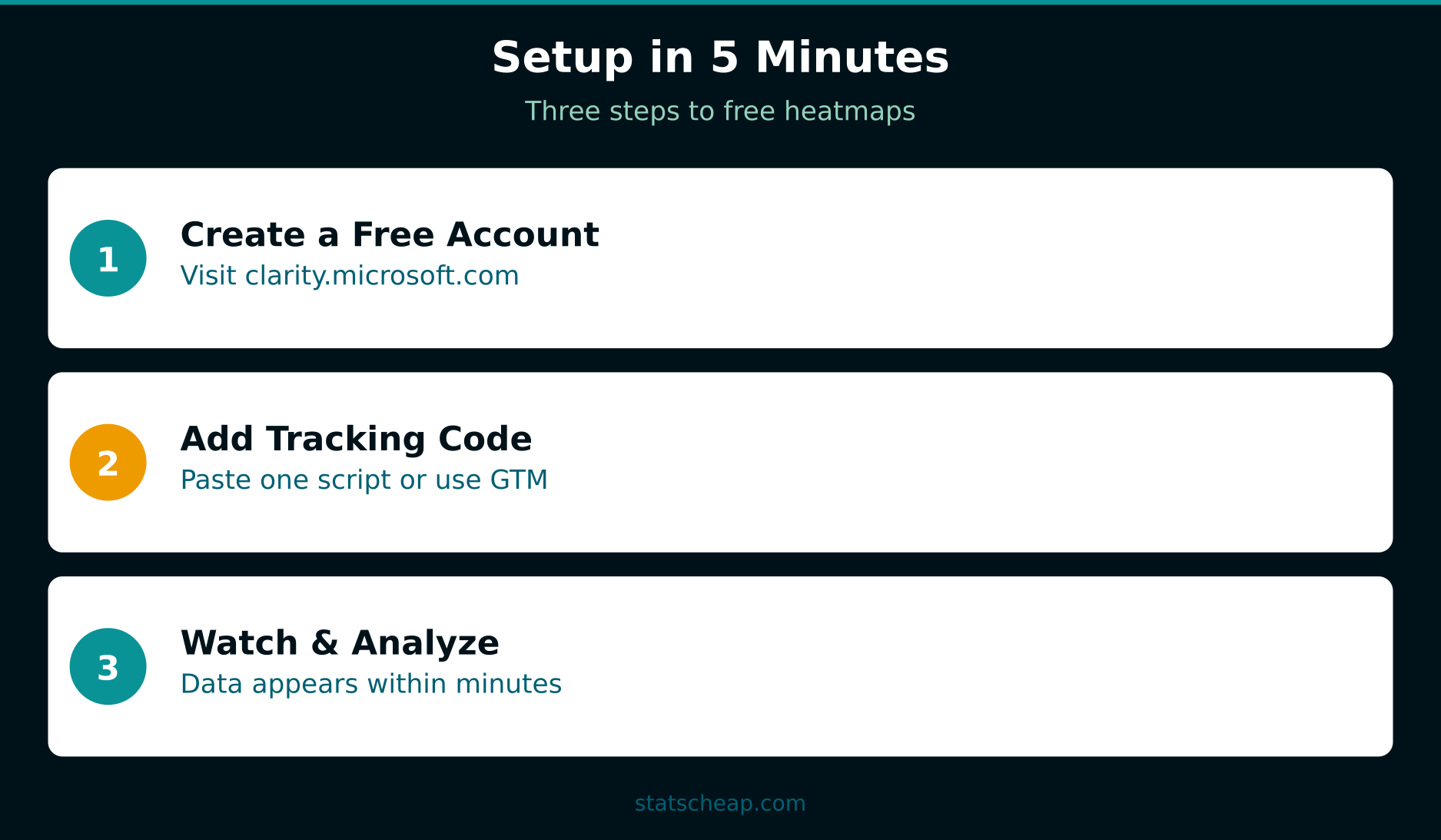
Step 1: Create your free account. Go to clarity.microsoft.com and sign up with your Microsoft, Google, or Facebook account. Create a new project and enter your website URL.
Step 2: Install the tracking code. You have several options: paste a small JavaScript snippet directly into your site’s <head> tag, add it through Google Tag Manager, or use the official WordPress plugin. Shopify, Wix, and most other platforms also have one-click integrations.
Step 3: Start analyzing. Data typically starts appearing within minutes of installation. Heatmaps need some traffic to become useful (aim for at least 100-200 sessions), but session recordings are available almost immediately.
Bonus: Connect with GA4. Clarity integrates directly with Google Analytics 4. Once connected, you can see Clarity’s behavior data alongside your GA4 metrics — and even launch Clarity session recordings directly from GA4 reports. If you’re already running GA4, this integration alone makes Clarity a no-brainer addition to your free analytics stack.
What Clarity Can’t Do
Clarity is excellent for what it does, but it’s important to understand its boundaries. No tool does everything, and knowing the limitations helps you plan your stack wisely.
No traffic analytics. Clarity doesn’t track page views, visitor counts, traffic sources, or conversion rates. That’s what GA4 is for. Clarity is a behavior tool, not a traffic tool — they complement each other perfectly.
No surveys or feedback collection. If you want to ask visitors directly about their experience — NPS scores, exit surveys, feedback widgets — you’ll need Hotjar or a dedicated survey tool. Clarity only shows you behavior; it doesn’t collect opinions.
No form analytics. While Clarity can show you session recordings of users filling out forms, it doesn’t provide dedicated form analytics (drop-off rates per field, time per field, etc.). Mouseflow and Hotjar offer this as a specific feature.
No A/B testing. Clarity observes behavior but doesn’t let you test changes. For that, you’d need a dedicated A/B testing tool like VWO or GrowthBook.
Limited custom event tracking. While Clarity supports custom tags for filtering sessions, its custom event capabilities are basic compared to GA4 or Mixpanel. It’s designed for visual behavior analysis, not event-based analytics.
Privacy and GDPR Compliance
A common concern with session recording tools: what about privacy? Clarity takes this seriously with several built-in safeguards.
Clarity automatically masks sensitive content by default. Text inputs, email fields, and other potentially personal data are obscured in recordings before the data even leaves the visitor’s browser. You can also configure additional masking rules for specific elements.
Regarding cookies, Clarity uses seven first-party cookies to identify returning sessions. This means you need cookie consent in the EU, just like with GA4. As of October 2025, Clarity actively enforces consent signals for all sessions from the EEA, UK, and Switzerland — meaning it won’t track users who haven’t consented. Microsoft provides a Data Processing Agreement, and EU customers contract through Microsoft Ireland Operations Limited with Standard Contractual Clauses for data transfers.
One nuance to be aware of: while Microsoft states that Clarity data is not sold, the MUID cookie is part of Microsoft’s broader user identification system. Data is stored in the US with no EU data residency option currently available. Unlike GA4, Clarity hasn’t faced legal challenges in European courts, but if you operate in the EU, you should still include Clarity in your cookie consent mechanism.
Who Should Use Clarity?
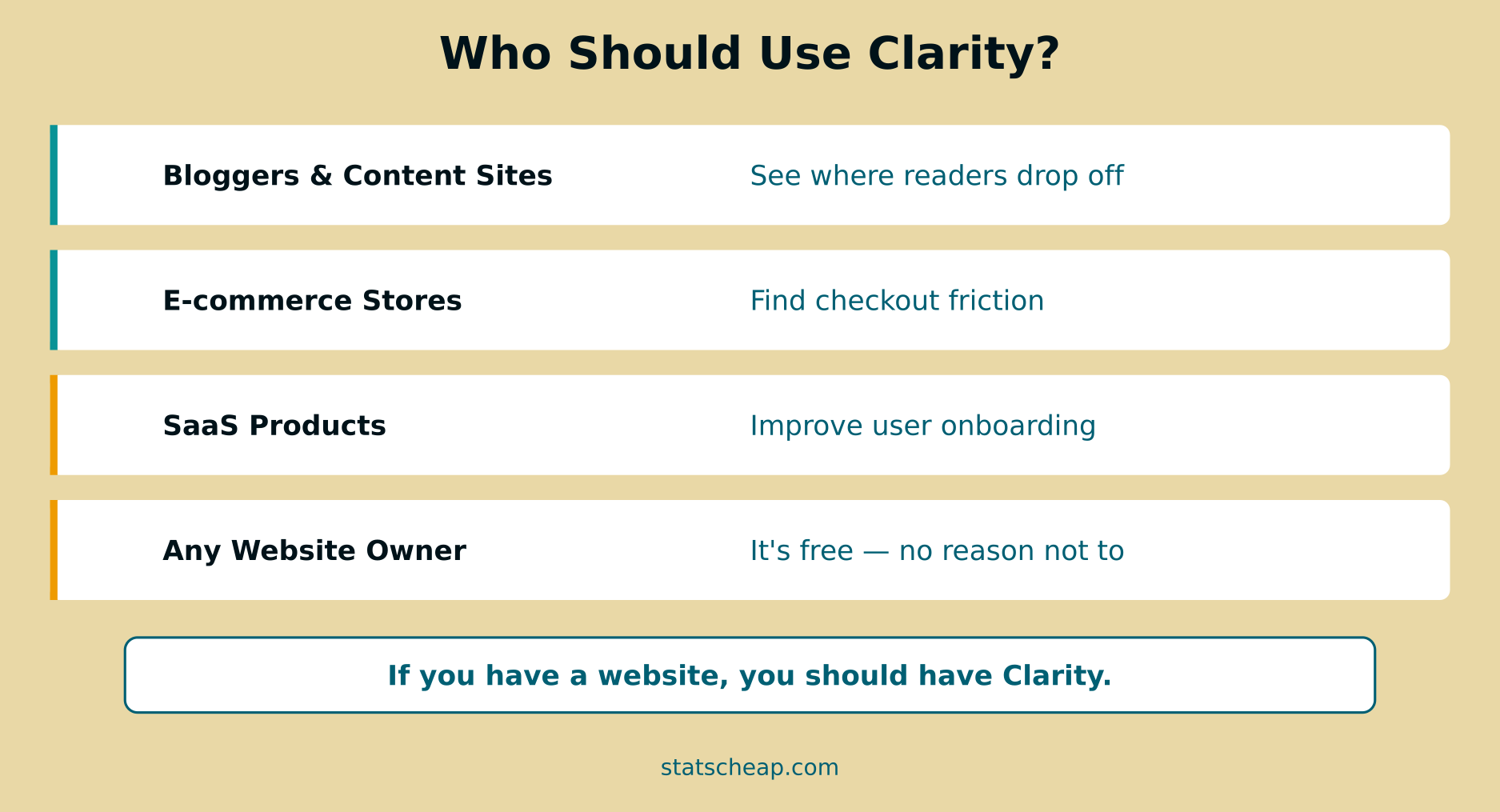
The honest answer? Anyone with a website. Clarity is free, easy to install, and provides insights you simply can’t get from traditional analytics. But here are the use cases where it’s especially valuable:
Bloggers and content sites — See exactly where readers stop scrolling. If your scroll heatmap shows 80% of visitors never reach your mid-article CTA, you know to move it higher. Session recordings reveal whether readers are actually engaging with your content or just skimming.
E-commerce stores — Find friction in your checkout flow. Rage clicks on a “Buy Now” button that’s slow to respond? Dead clicks on product images that should zoom but don’t? These are conversion killers that Clarity makes visible.
SaaS products — Understand how users navigate your interface during onboarding. Session recordings show exactly where new users get confused, helping you improve first-time experiences without expensive user research.
Landing pages — If you’re running ads, Clarity shows you what visitors do after they land. Are they reading your value proposition or immediately scrolling past it? Are they clicking your CTA or getting distracted by something else? This kind of insight directly improves your ad ROI.
Frequently Asked Questions
Does Clarity slow down my website?
Clarity’s tracking script is lightweight and loads asynchronously, meaning it doesn’t block your page from rendering. Microsoft designed it specifically to have minimal performance impact. In practice, the impact on page load time is negligible — typically under 10 milliseconds. It won’t affect your Core Web Vitals scores.
Is there really no catch with Clarity being free?
The business model is straightforward: Microsoft offers Clarity for free as part of its broader web ecosystem strategy. It drives adoption of Microsoft accounts and complements their advertising platform (Microsoft Advertising). However, your Clarity data is not used for advertising and is not shared with third parties. The tool genuinely has no hidden costs, no premium tier, and no session limits.
Can I use Clarity alongside Google Analytics?
Absolutely — and you should. GA4 handles traffic analytics and conversion tracking while Clarity handles behavior visualization. They have a built-in integration that links the two platforms, letting you jump from GA4 data directly into relevant Clarity session recordings. Together with Google Search Console for SEO data, they form a complete analytics stack for $0/month.
How long does Clarity keep my data?
Session recordings are retained for 30 days by default. However, if you label or favorite a recording, it’s kept for up to 13 months. Heatmap data is also retained for 13 months. Clarity also keeps a random 1% sample of recordings (or a minimum of 10 per day) for 13 months for trend analysis. For long-term traffic reporting, you’ll want GA4 — Clarity is designed for behavioral analysis, not historical traffic trends.
The Bottom Line
Microsoft Clarity is one of those rare tools where the free version isn’t a watered-down preview — it’s the full product. Unlimited heatmaps, unlimited session recordings, AI-powered insights, automatic frustration detection, and seamless GA4 integration, all for $0/month.
If you’re already using GA4 (and you should be), adding Clarity takes five minutes and immediately gives you a dimension of analytics that traffic data alone can’t provide. You’ll see how people use your site, not just that they visited. That’s the difference between guessing what to fix and knowing exactly where the problems are.
You don’t need to spend a dime to understand your users. Clarity proves that the best heatmap tool on the market is also the cheapest — and that’s a budget-friendly win I can get behind. For a complete walkthrough on pairing Clarity with GA4 and Search Console, check out our guide on building a full analytics stack for $0.