

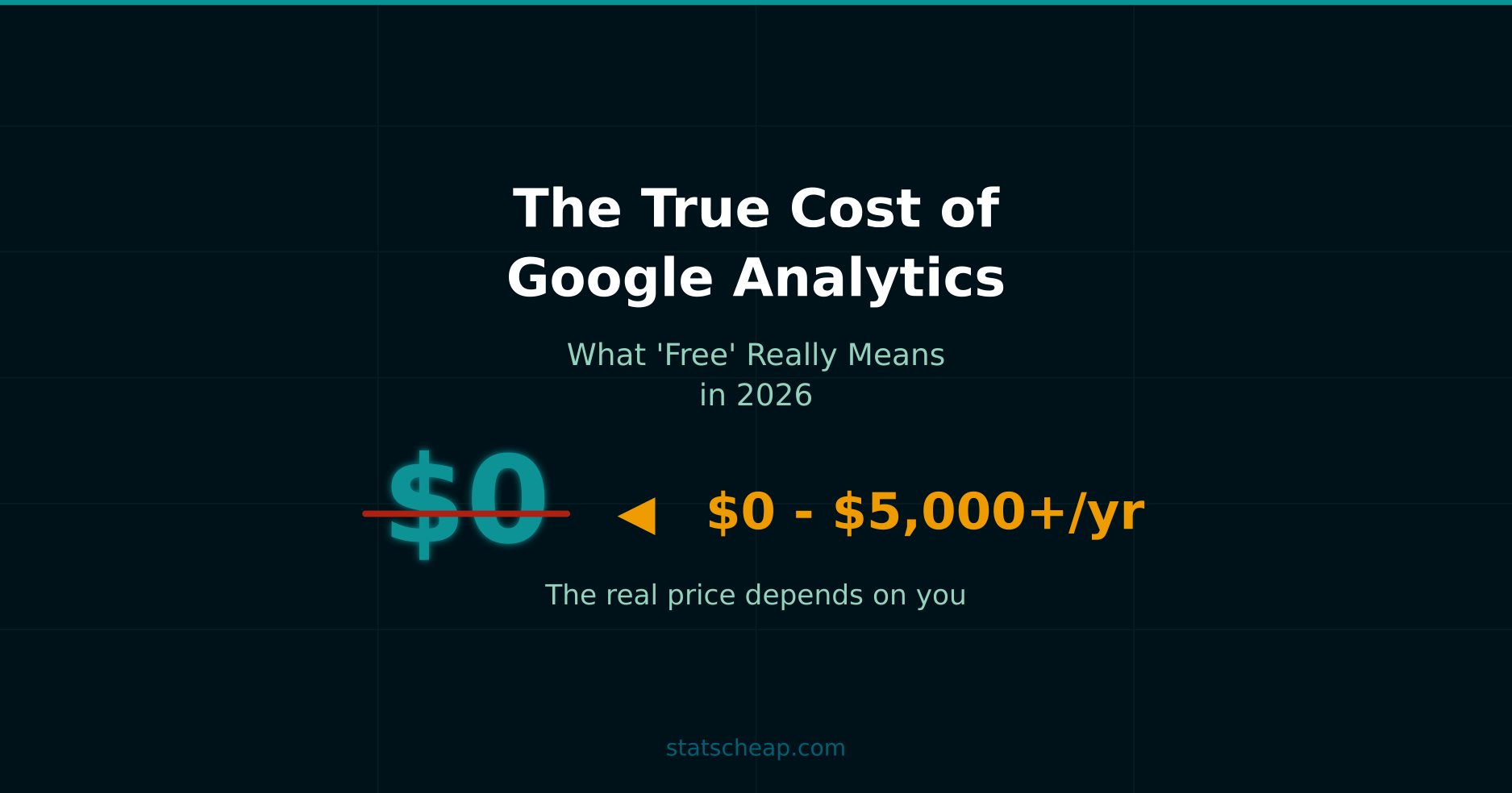
Google Analytics is the world’s most popular analytics platform — and it’s free. At least, that’s what Google tells you. But after a decade of setting up GA4 for clients of all sizes, I can tell you this: “free” comes with a price tag you don’t see on the pricing page.
Don’t get me wrong — GA4 is genuinely powerful, and for most small businesses, the free tier is more than enough. However, understanding the real costs helps you budget accurately and avoid surprises. Let’s do the math on what “free” actually means in 2026.
The GA4 Pricing Tiers: Free vs 360
Before we talk about hidden costs, let’s look at the official pricing. Google Analytics comes in exactly two flavors: free and enterprise. There’s nothing in between.
GA4 Free gives you everything most websites need: real-time reporting, audience insights, conversion tracking, and integration with Google Ads. You can track up to 25 custom conversions, create 30 audiences, and retain data for up to 14 months. For a blog, local business, or small e-commerce store, this covers 90% of use cases.
GA4 360, on the other hand, is the enterprise tier. It starts at roughly $50,000 per year — and that’s the entry point. For high-traffic sites, the cost can climb well above $150,000 annually. In return, you get unsampled reports, 50-month data retention, higher event limits, guaranteed SLAs, and dedicated support from Google. Most importantly, you get access to unsampled explorations and BigQuery exports without daily caps.
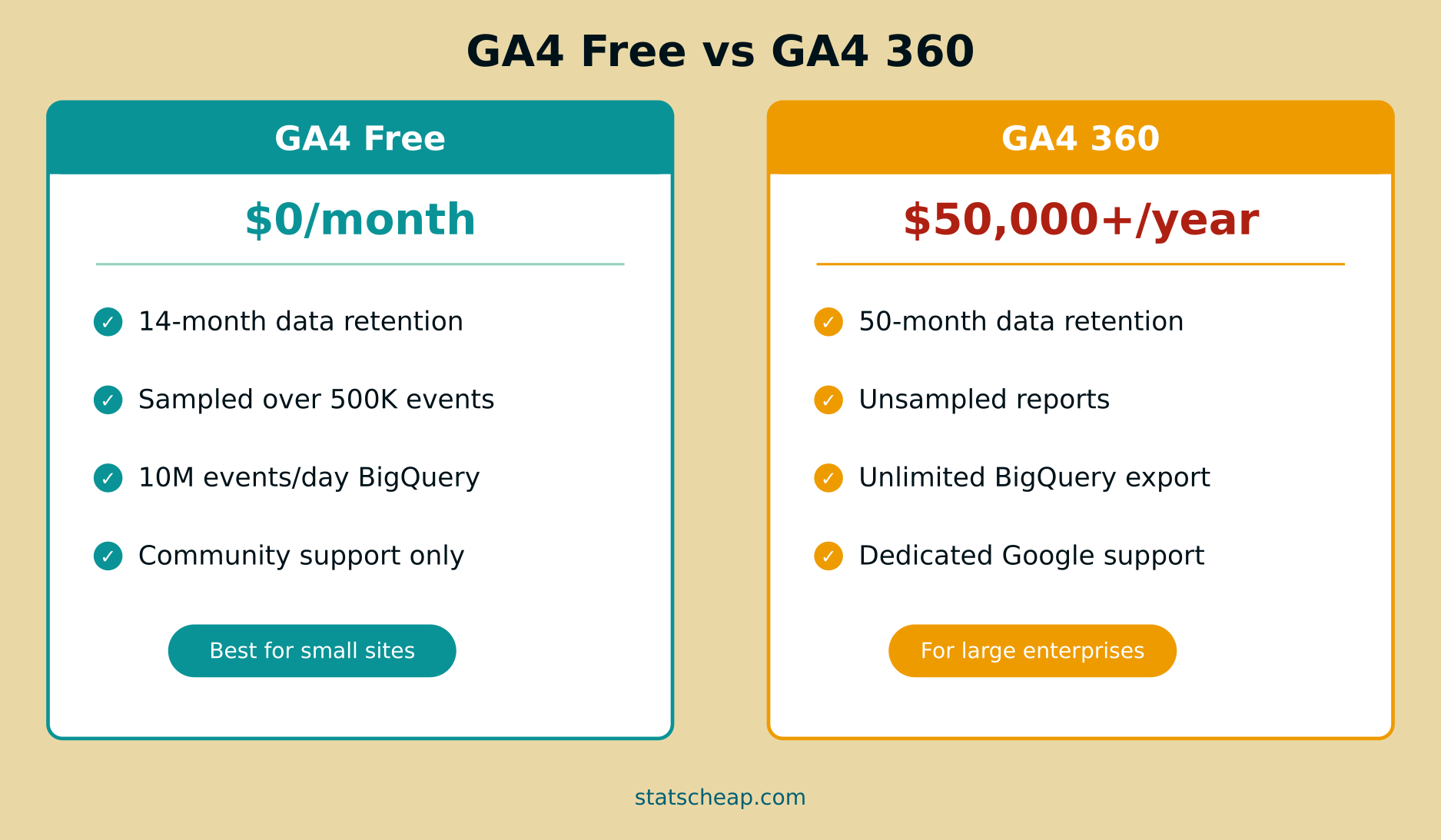
Here’s the key takeaway: there’s no $29/month option, no “Pro” plan, no middle ground. You’re either paying nothing or paying enterprise prices. For 99% of readers of this blog, the free tier is the right choice. But “free” doesn’t mean “zero cost.”
The Hidden Costs Nobody Talks About
When someone says GA4 is free, they mean you don’t pay Google a monthly fee. That’s true. But the total cost of ownership includes your time, your sanity, and sometimes your wallet. Here’s what the real bill looks like.
Your Time: The Biggest Hidden Cost
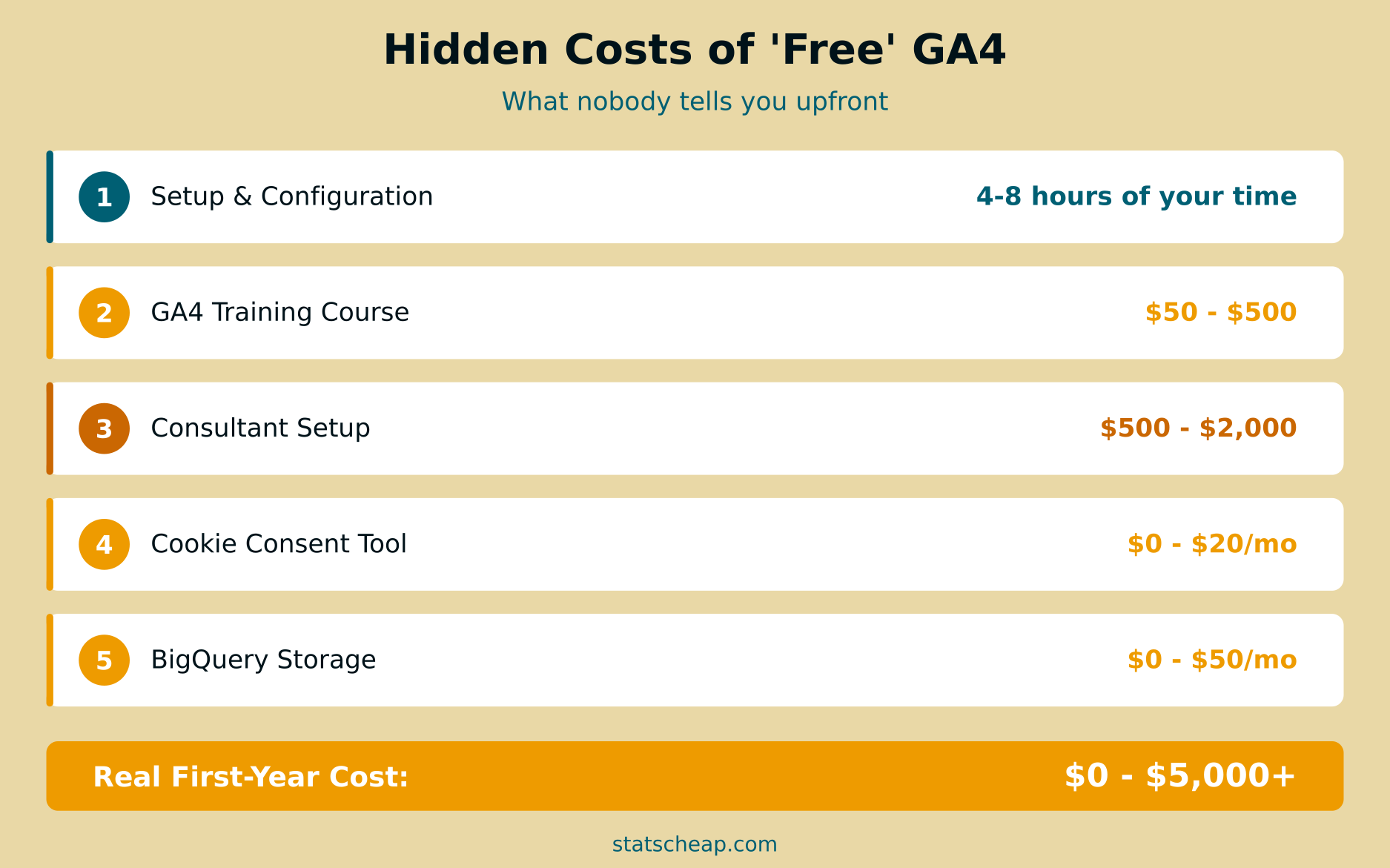
GA4 isn’t plug-and-play. The basic installation takes 30 minutes, but proper configuration? That’s a different story. Setting up custom events, configuring conversions, building audiences, connecting Search Console, and fine-tuning Enhanced Measurement takes 4 to 8 hours for a typical small business site. For an e-commerce store with complex funnels, double that estimate.
If your time is worth $50/hour — a conservative estimate for a business owner — that initial setup costs you $200 to $400 in opportunity cost. And that’s before the ongoing maintenance: checking reports, adjusting events, fixing tracking issues. Budget about 2-4 hours per month for routine analytics work.
Training and Learning Curve
GA4 has a steep learning curve, especially if you’re coming from Universal Analytics. The interface is different, the data model is event-based instead of session-based, and the reporting structure can feel unintuitive at first. Most people need some form of training to use GA4 effectively.
The good news: Google’s Skillshop offers free GA4 certification courses. That’s the budget-friendly option, and it’s solid. However, if you prefer structured learning, third-party courses on Udemy or Coursera range from $15 to $200. Comprehensive GA4 bootcamps from analytics agencies can run $300 to $500.
Professional Setup: When DIY Isn’t Enough
Sometimes you need a professional. Freelance analytics consultants typically charge $75 to $200 per hour for GA4 work. A full setup — including tag implementation via Google Tag Manager, custom event configuration, conversion tracking, and initial reporting — usually runs $500 to $2,000 as a project fee. Agencies charge more, often $2,000 to $5,000+ for comprehensive analytics implementation.
For a simple blog or brochure site? You don’t need a consultant. The free Skillshop training and a couple of YouTube tutorials will get you there. But for e-commerce or lead generation sites where accurate tracking directly impacts revenue, professional setup often pays for itself.
Cookie Consent and Privacy Compliance
In 2026, you can’t just drop a GA4 tracking snippet on your site and call it a day. If you have visitors from the EU, you need a cookie consent mechanism. GA4 uses cookies, and under GDPR and the ePrivacy Directive, you must get consent before tracking.
Google offers a basic Consent Mode integration for free, but you still need a Consent Management Platform (CMP) to actually display the banner and collect consent. Options range from free (Cookiebot’s limited free tier, or open-source solutions) to $10-20/month for a polished CMP like CookieYes or Termly. Enterprise CMPs like OneTrust can cost $200+/month.
Moreover, several EU countries have scrutinized GA4’s data transfers to the US. Data protection authorities in Austria, France, Italy, Denmark, and Sweden all ruled against Google Analytics usage between 2022-2023. Norway issued a final enforcement decision in January 2025. While the EU-US Data Privacy Framework (adopted July 2023) provides a legal basis for transfers, the European Data Protection Board is actively urging re-evaluation. For most small businesses, using GA4 with a proper CMP and Consent Mode is considered compliant — but the regulatory landscape remains worth watching.
BigQuery Export Costs
One of GA4’s best features is its free integration with BigQuery, Google’s data warehouse. You can export raw event data for advanced analysis — and Google gives you a generous free tier: 10 GB of storage and 1 TB of queries per month at no cost.
For small sites, this free tier is plenty. But as your traffic grows, so does your data. A site with 100,000 monthly visitors might generate 2-5 GB of BigQuery data per month. At that point, storage costs are still minimal ($0.02/GB/month), but heavy querying can add up. Realistically, most small businesses will spend $0 to $50/month on BigQuery. Only high-traffic sites need to worry about costs exceeding that.
What GA4 Can’t Do (And What Fills the Gaps)
Even if you master GA4 completely, it has blind spots. These aren’t flaws — no single tool does everything. But knowing what GA4 doesn’t cover helps you plan your full analytics stack.
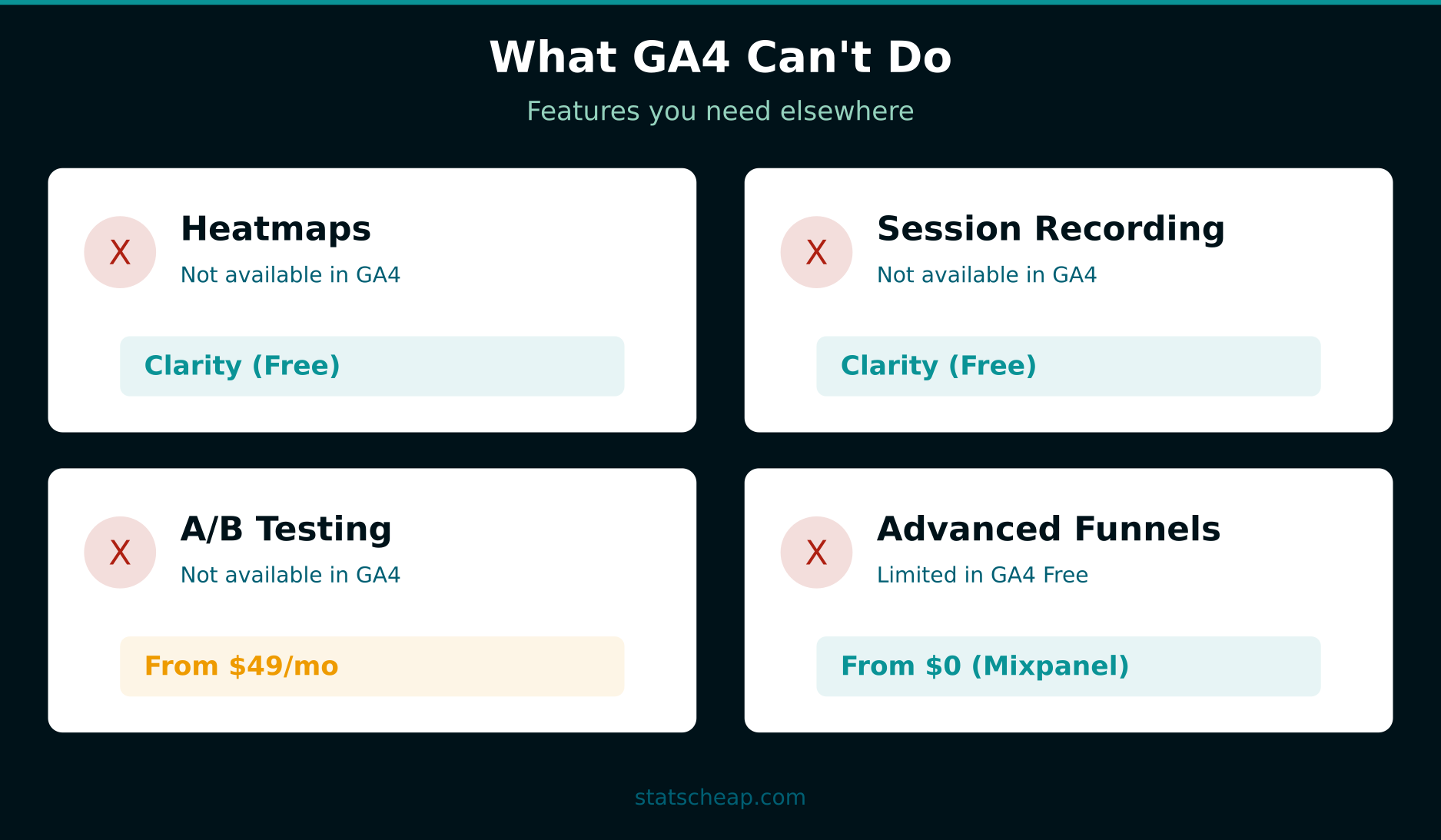
Heatmaps and session recordings — GA4 shows you what happened (page views, clicks, conversions), but not how it happened. You can’t watch a user struggle with your checkout form or see where people stop scrolling. For this, Microsoft Clarity is the perfect free complement. It gives you unlimited heatmaps, session recordings, and rage click detection — all for $0/month. Hotjar offers similar features but charges $39+/month after a limited free tier.
A/B testing — GA4 doesn’t include built-in A/B testing. Google Optimize was shut down in September 2023, and there’s been no free replacement from Google. Your options include VWO (from $49/month), Optimizely (enterprise pricing), or open-source tools like GrowthBook (free self-hosted). For most small businesses, A/B testing is a “nice to have” rather than essential.
SEO and search performance — GA4 shows you organic traffic numbers, but not which keywords you rank for, your click-through rates, or indexing issues. Google Search Console handles this for $0, and it integrates directly with GA4. If you haven’t set this up yet, check out our guide on building a complete free analytics stack.
Advanced product analytics — For SaaS companies or apps that need deep funnel analysis, cohort retention, and user journey mapping, GA4’s capabilities are limited. Tools like Mixpanel (free up to 20M events/month) and Amplitude (free up to 50K monthly tracked users) offer much richer product analytics. Both have generous free tiers that work for most startups.
GA4 Free Tier Limitations You Should Know
The free tier is powerful, but it does have ceilings. Here are the ones that actually matter for growing sites:
Data sampling. When you run explorations on large datasets, GA4 starts sampling after about 10 million events in the selected date range. Standard reports remain unsampled regardless of volume, but custom explorations — where the real analytical power lives — will show estimates rather than exact numbers once you cross that threshold. For most small sites, this is a non-issue. But if you consistently exceed 500,000 monthly sessions, expect to hit sampling regularly in your deeper analysis.
Data retention. GA4 keeps detailed event data for a maximum of 14 months. After that, you lose access to the granular exploration reports (though aggregated standard reports remain). If you need historical data beyond 14 months, you’ll want to set up BigQuery export early — before that data disappears.
Custom dimensions and metrics. The free tier allows 50 event-scoped custom dimensions, 25 user-scoped custom dimensions, and 30 key events (conversions). GA4 360 bumps these to 125, 100, and higher respectively. For most small businesses, the free limits are more than enough. E-commerce sites with complex product taxonomies might feel the squeeze.
BigQuery export limits. Free GA4 properties can export up to 1 million events per day to BigQuery. The daily export also has a processing delay of 24-48 hours (no streaming export on free tier). For real-time data warehouse needs, you’d need GA4 360.
How GA4 Compares to Paid Alternatives
If you’re considering whether to stick with free GA4 or switch to a paid alternative, here’s how the landscape looks in 2026:
Matomo Cloud starts at $23/month for up to 50,000 hits. It’s the most popular privacy-focused alternative to GA4, offering full data ownership and GDPR compliance out of the box. The self-hosted version is free but requires your own server (budget $5-20/month for hosting).
Plausible Analytics costs $9/month for up to 10K monthly pageviews. It’s lightweight, privacy-friendly, and doesn’t use cookies — meaning no consent banner needed. The trade-off: much simpler reports with fewer customization options than GA4.
Fathom Analytics starts at $15/month for 100K pageviews. Similar to Plausible in philosophy — simple, private, cookie-free — but with a slightly more polished interface and better uptime history.
Mixpanel offers a generous free tier of 20 million events per month. Its paid Growth plan starts at just $20/month. It’s overkill for content sites but excellent for SaaS and product analytics.
Adobe Analytics is GA4 360’s main competitor in enterprise. Pricing starts around $30,000-50,000/year and goes much higher. Unless you’re a large enterprise, this isn’t on your radar.
The bottom line? For pure web analytics on a budget, GA4 Free beats every paid alternative on features-per-dollar. Where paid tools win is simplicity (Plausible, Fathom) or privacy compliance (Matomo). For a deeper comparison, see our complete guide to free web analytics tools.
The Real Cost: Three Scenarios
Let’s put it all together. Here’s what GA4 actually costs for three typical StatsCheap readers:
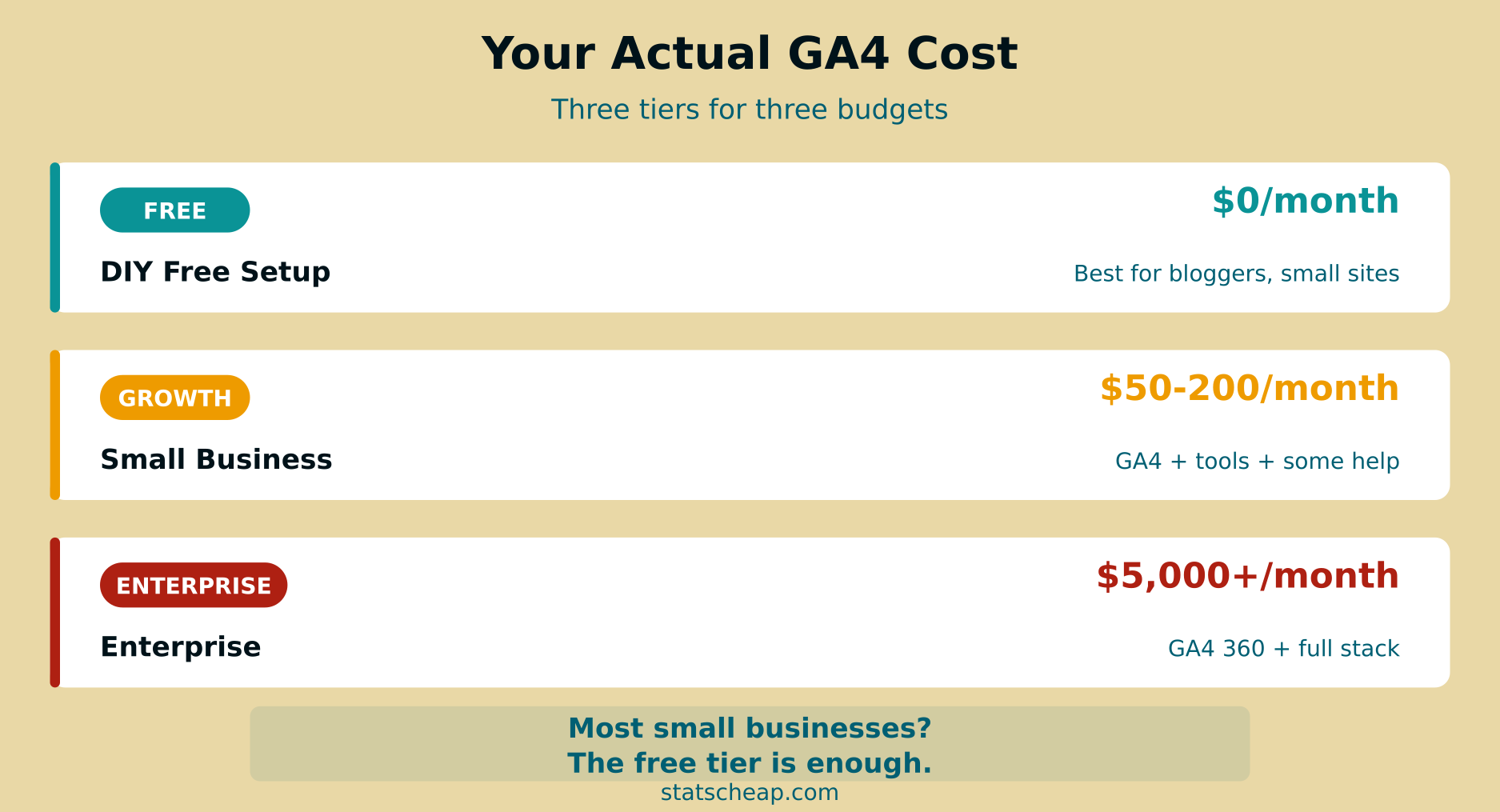
Scenario 1: The DIY Blogger ($0/month)
You run a blog or small content site. You install GA4 yourself using Google’s setup wizard, watch a couple of YouTube tutorials, and use the default reports. You add Clarity for heatmaps and Search Console for SEO — both free. Your total monthly cost: $0. Your time investment: about 4-6 hours upfront, then 1-2 hours per month checking reports. This is the path I recommend for anyone just starting out.
Scenario 2: The Growing Small Business ($50-200/month)
You have an e-commerce store or lead generation site. You hired a consultant for initial GA4 setup ($1,000-2,000 one-time), you pay for a cookie consent tool ($10-20/month), you export data to BigQuery for deeper analysis ($10-30/month), and maybe you use a paid A/B testing tool ($49/month). Your ongoing monthly cost: $50-200/month, plus the initial setup investment. This setup gives you enterprise-grade insights at a fraction of enterprise prices.
Scenario 3: The Enterprise ($5,000+/month)
You’re a large company with millions of monthly visitors. You need unsampled data, guaranteed uptime SLAs, and streaming BigQuery exports. GA4 360 at $50,000+/year is your baseline, plus a dedicated analytics team, premium tools across the stack, and ongoing agency support. Monthly cost: $5,000 to $20,000+. If you’re reading StatsCheap, this probably isn’t you — and that’s perfectly fine.
How to Keep Your GA4 Costs at Zero
For the budget-conscious reader, here’s how to maximize GA4 without spending a dime:
- Self-install with Enhanced Measurement. GA4’s Enhanced Measurement automatically tracks scrolls, outbound clicks, file downloads, and video engagement — no custom code needed. Enable it during setup and you’re 80% done.
- Use Google’s free training. The GA4 Skillshop certification is comprehensive and free. Complete it in a weekend.
- Fill gaps with free tools. Microsoft Clarity for behavior analytics, Google Search Console for SEO, Looker Studio for custom dashboards — all free. Together with GA4, you have a complete analytics stack at $0/month.
- Set up BigQuery export early. Even if you don’t analyze the data now, exporting to BigQuery preserves your raw event data beyond GA4’s 14-month retention limit. Google’s free tier covers most small sites.
- Use Consent Mode for privacy compliance. If you need a cookie banner, start with a free CMP tier and implement Google’s Consent Mode. This maintains GA4’s modeling capabilities even when users decline cookies.
Frequently Asked Questions
Is GA4 really free forever?
Google has never charged for the standard version of Google Analytics since its launch in 2005. While there’s no written guarantee it stays free forever, Google benefits from the data ecosystem GA4 creates — particularly for Google Ads optimization. It’s reasonable to expect the free tier to remain available for the foreseeable future.
Does Google use my GA4 data for advertising?
Google states that GA4 data is not shared with other Google products for advertising purposes without your consent. However, if you link GA4 with Google Ads (which many businesses do for conversion tracking), that data is used to optimize ad delivery. Your analytics data stays within your GA4 property, but the Google ecosystem is designed to encourage integration.
Should I switch from GA4 to a paid alternative?
For most small businesses, no. GA4’s free tier offers more features than any paid alternative in the same price range (which is $0). Consider switching only if: you have strict EU data residency requirements (Matomo), you want extreme simplicity with no cookies (Plausible or Fathom), or you need advanced product analytics (Mixpanel). Otherwise, GA4 plus free complementary tools gives you the best value.
The Bottom Line
Google Analytics 4 is genuinely free to use — Google doesn’t charge you a monthly fee, and the free tier is remarkably capable. But “free” doesn’t mean “zero investment.” You’ll spend time on setup and learning, and you may need complementary tools for features GA4 doesn’t cover.
The good news? For most small businesses and bloggers, the true all-in cost of a GA4-based analytics setup is $0 to $50 per month — and for many, it’s genuinely zero. That’s an incredible deal compared to enterprise analytics platforms costing thousands per month. The key is knowing where the free tier ends and making smart choices about what’s actually worth paying for. In most cases, the answer is: not much.
Save your money for what actually matters. GA4’s free tier, combined with Clarity and Search Console, gives you more analytics power than most businesses had access to even five years ago at any price.